Skip to content
Card Counting Coach

Sessions

Log the table — live or after you walk.

Start a live session in the seat, or add one later. Track bankroll, tables, and heat in Session Journal. Invite a team with a private code. PIN-lock the screen so the numbers stay on your phone.

Pro Mode required

01|Session Log

Session Log

Every live and manual session in one list, with overall P/L, record, and dollars per hour.

Start a live session at the table or add one after you walk. Filter by live, manual, team, or sessions that still need completion. The summary shows table-min range, average bet unit, and shuffle mix across the log.
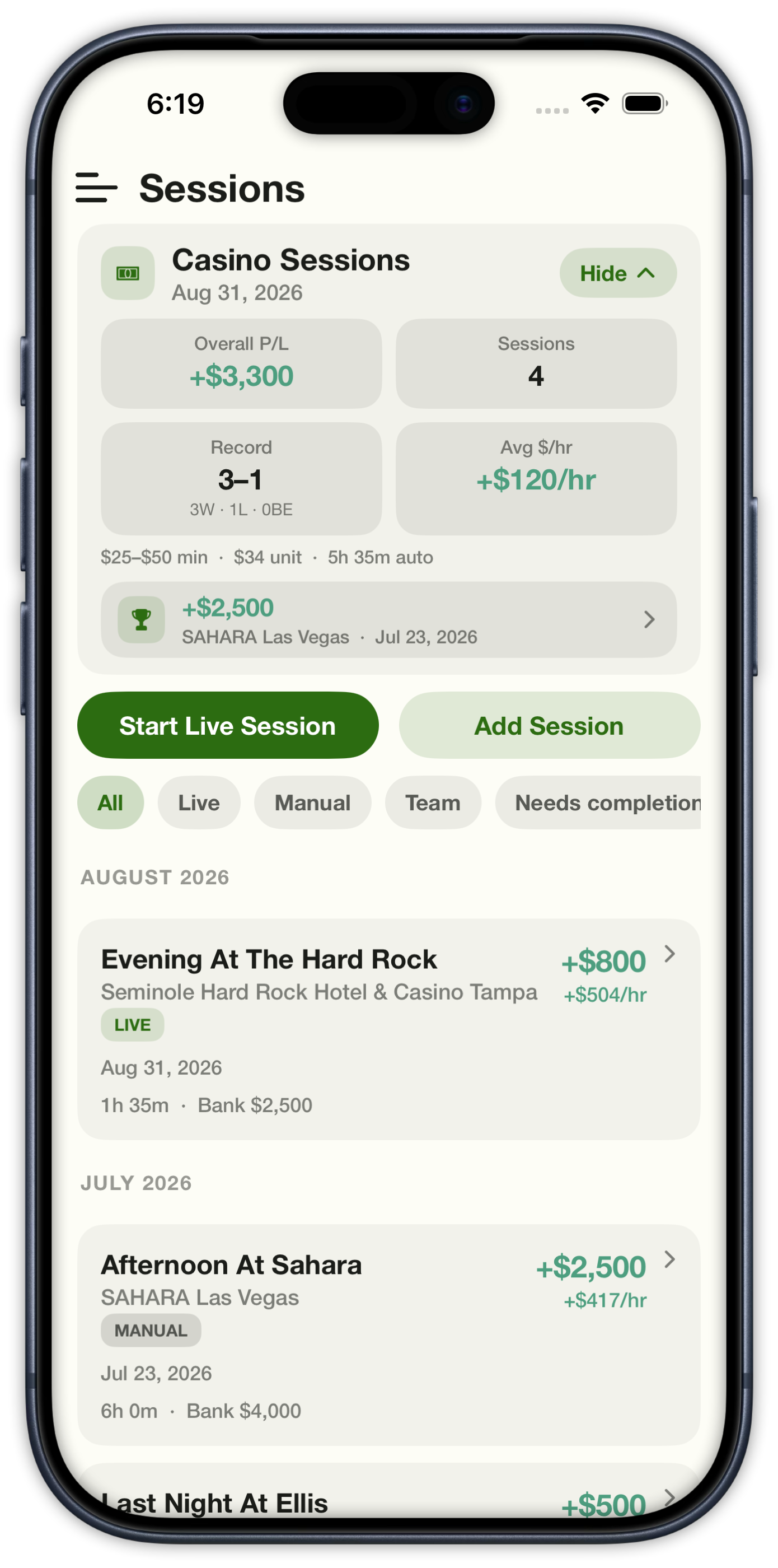
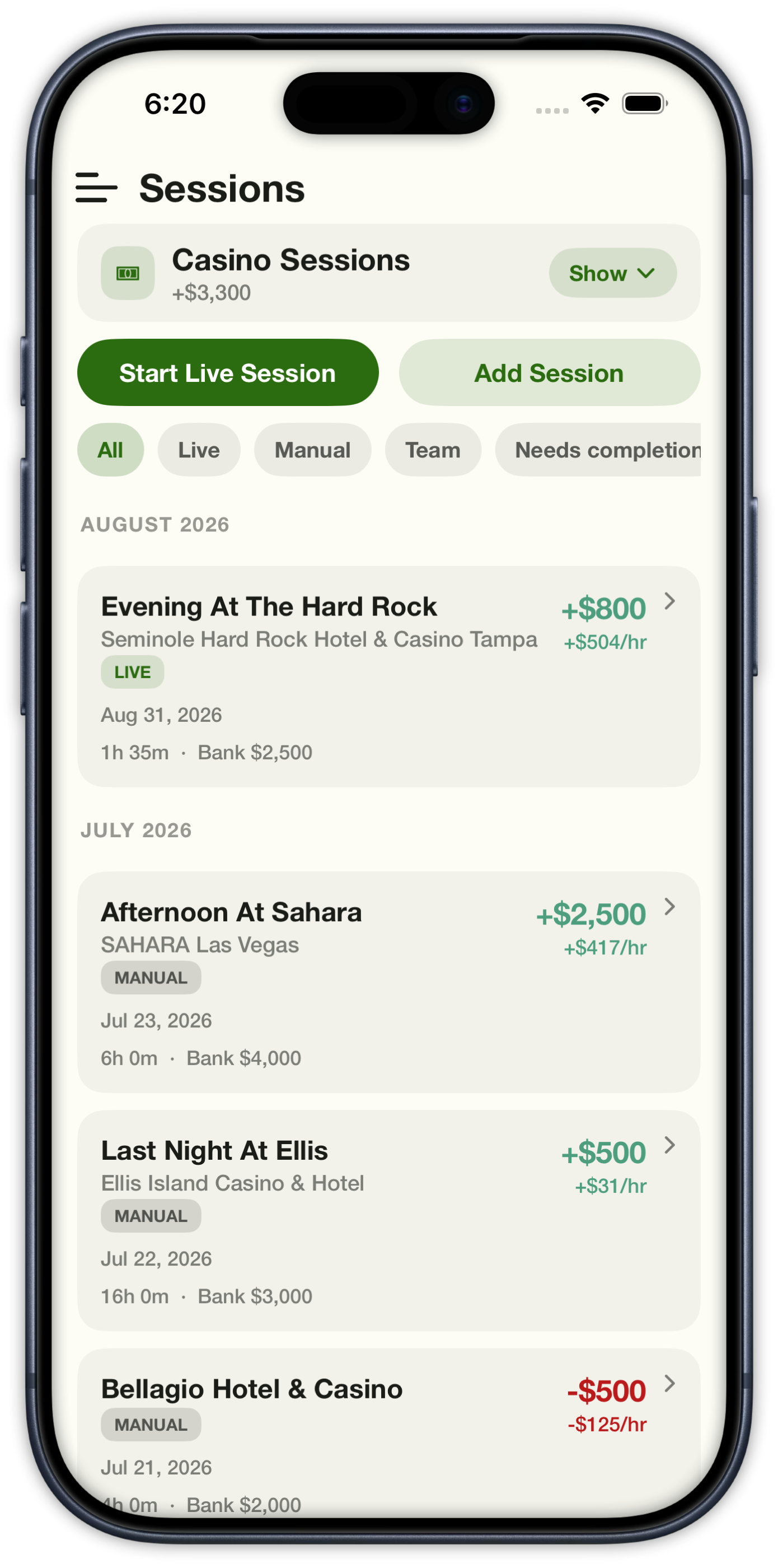
Sessions list with overall profit, win record, and live versus manual filters
Sessions
Sessions list with the summary card collapsed and live session cards visible
Session list

02|Live Session

Live Session

A running clock, live P/L, and a journal while you are still in the seat.

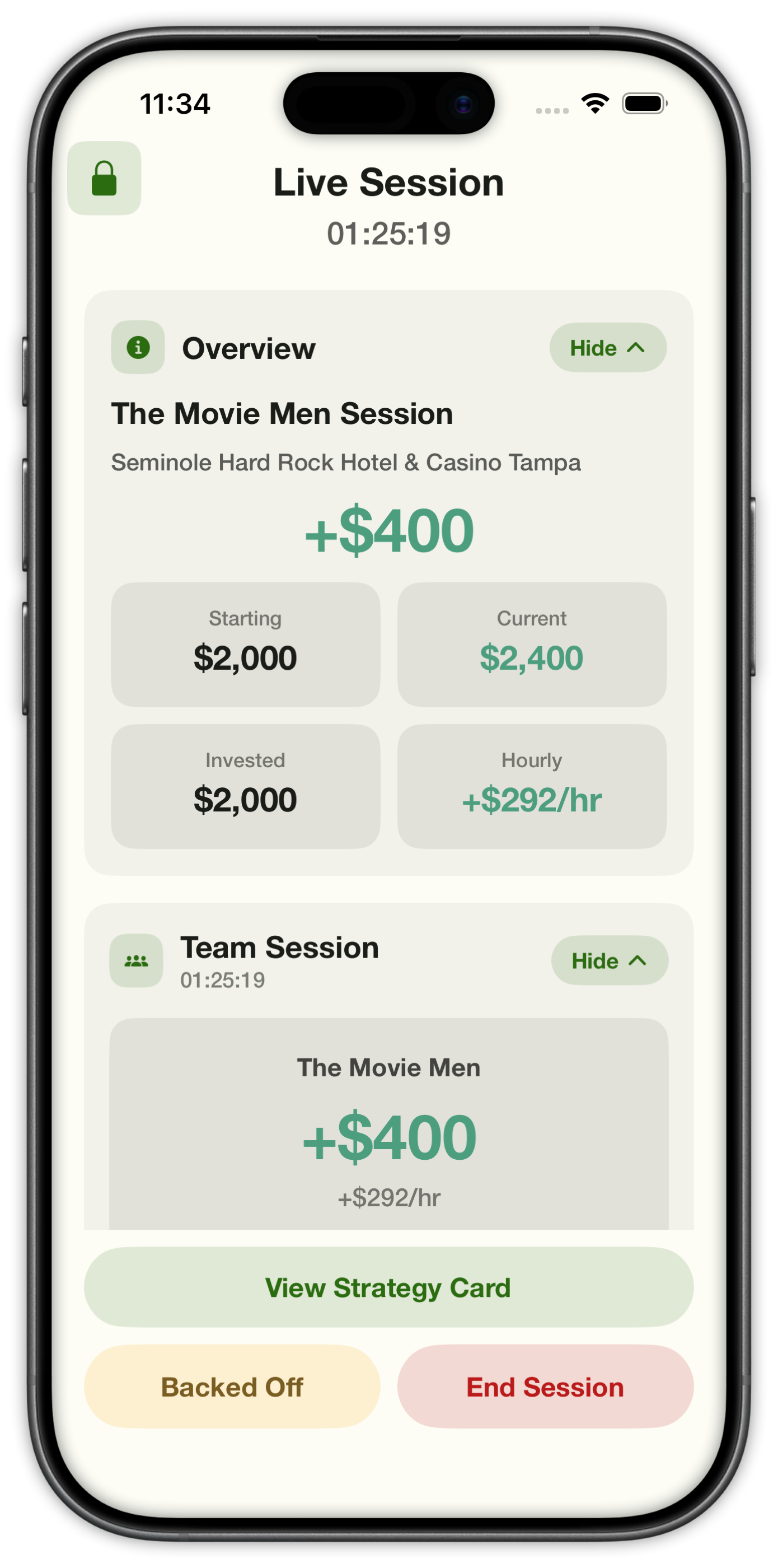
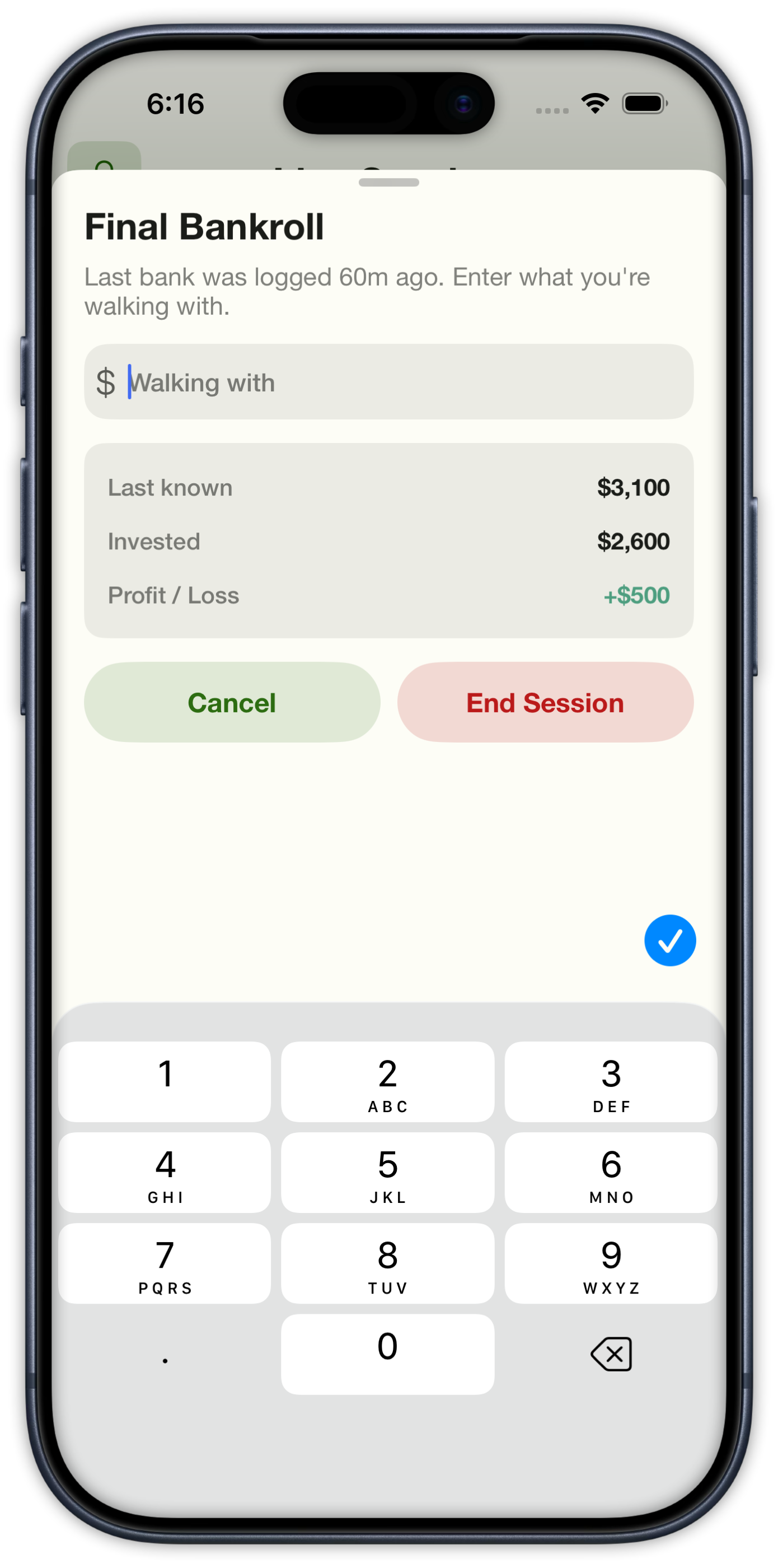
Overview shows starting, current, invested, and hourly in one card. Session Journal keeps every sit, add, heat, and color-up. When you walk, enter what you are leaving with.

Live session Overview with starting, current, invested, and hourly plus a team bankroll card
Live Session
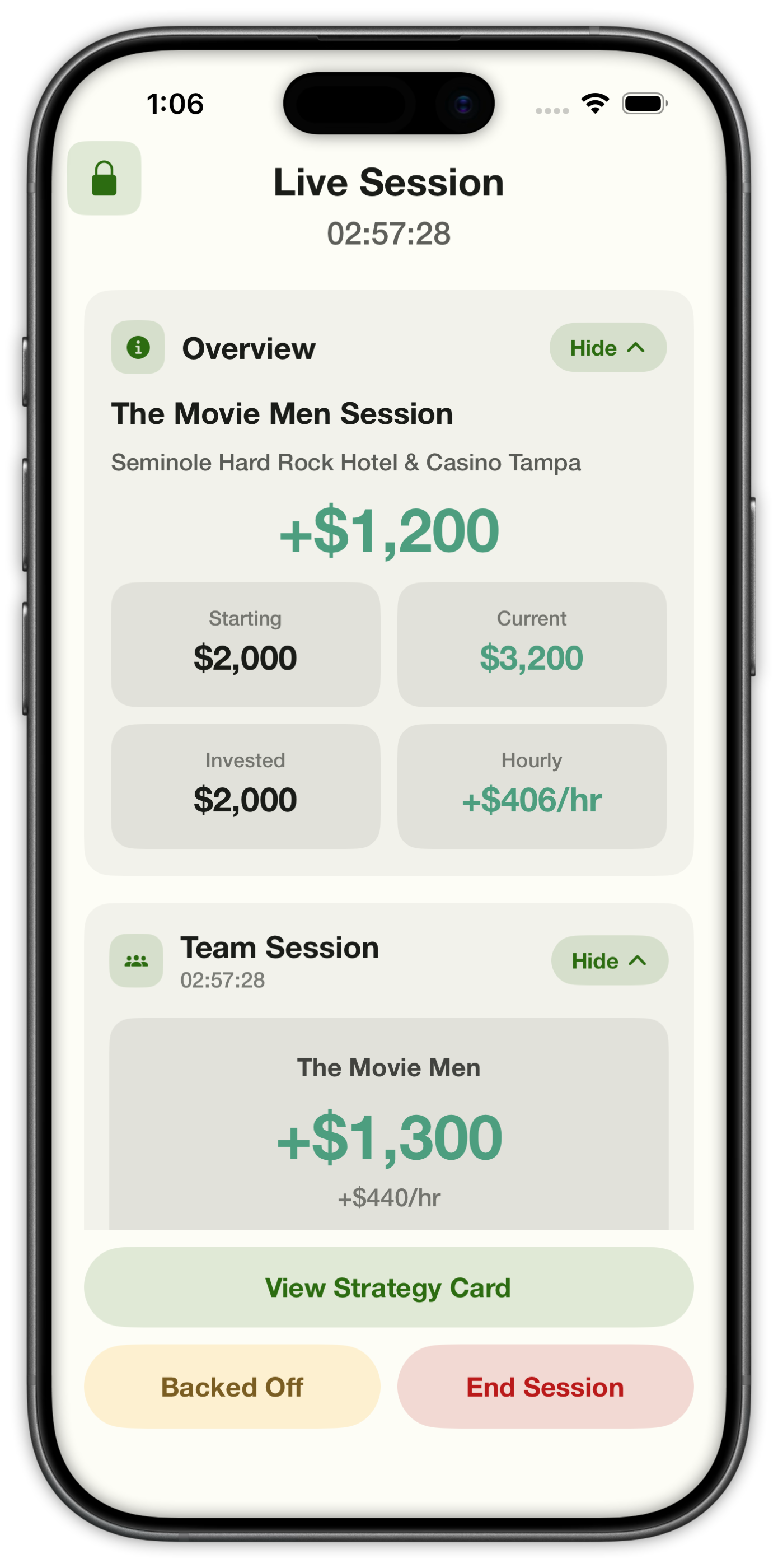
Live session a few hours in with +$1,200 personal and +$1,300 team profit
Hours in
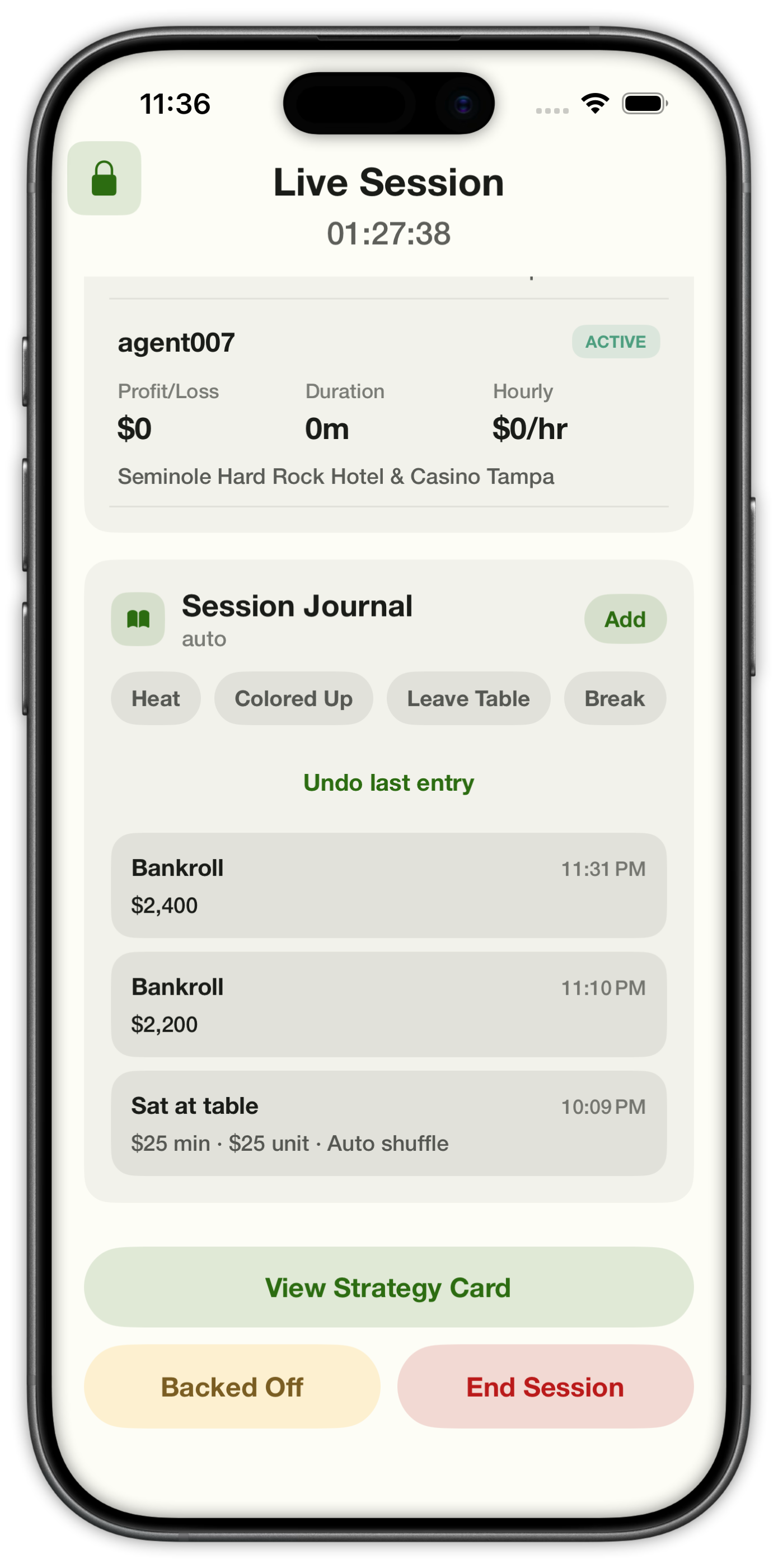
Session Journal with Heat, Colored Up, Leave Table, and Break quick actions plus a bankroll log
Session Journal
Final Bankroll prompt asking what you are walking with
Final Bankroll

03|Session Journal

Session Journal

One log for bankroll, tables, heat, color-ups, and breaks.

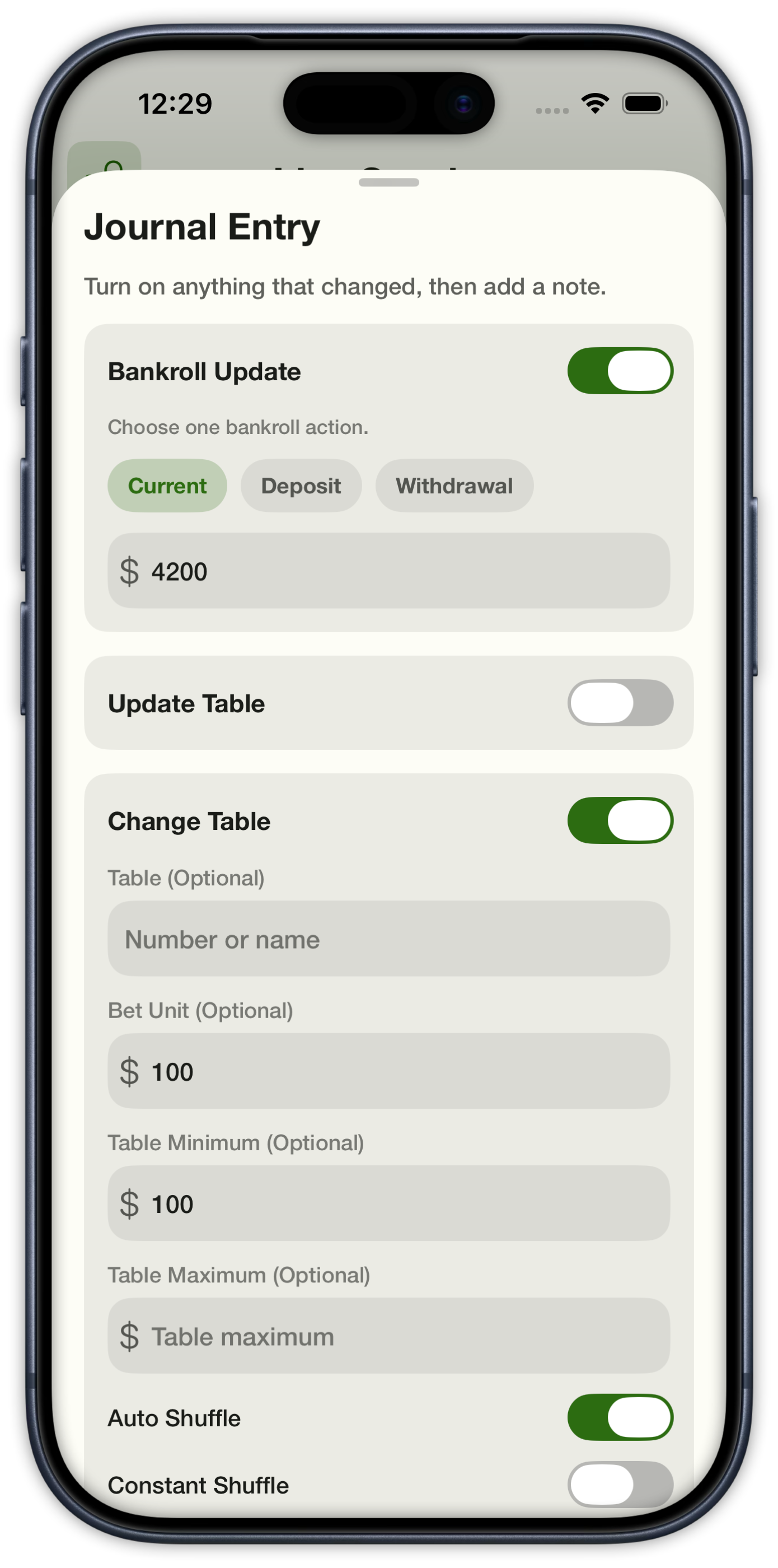
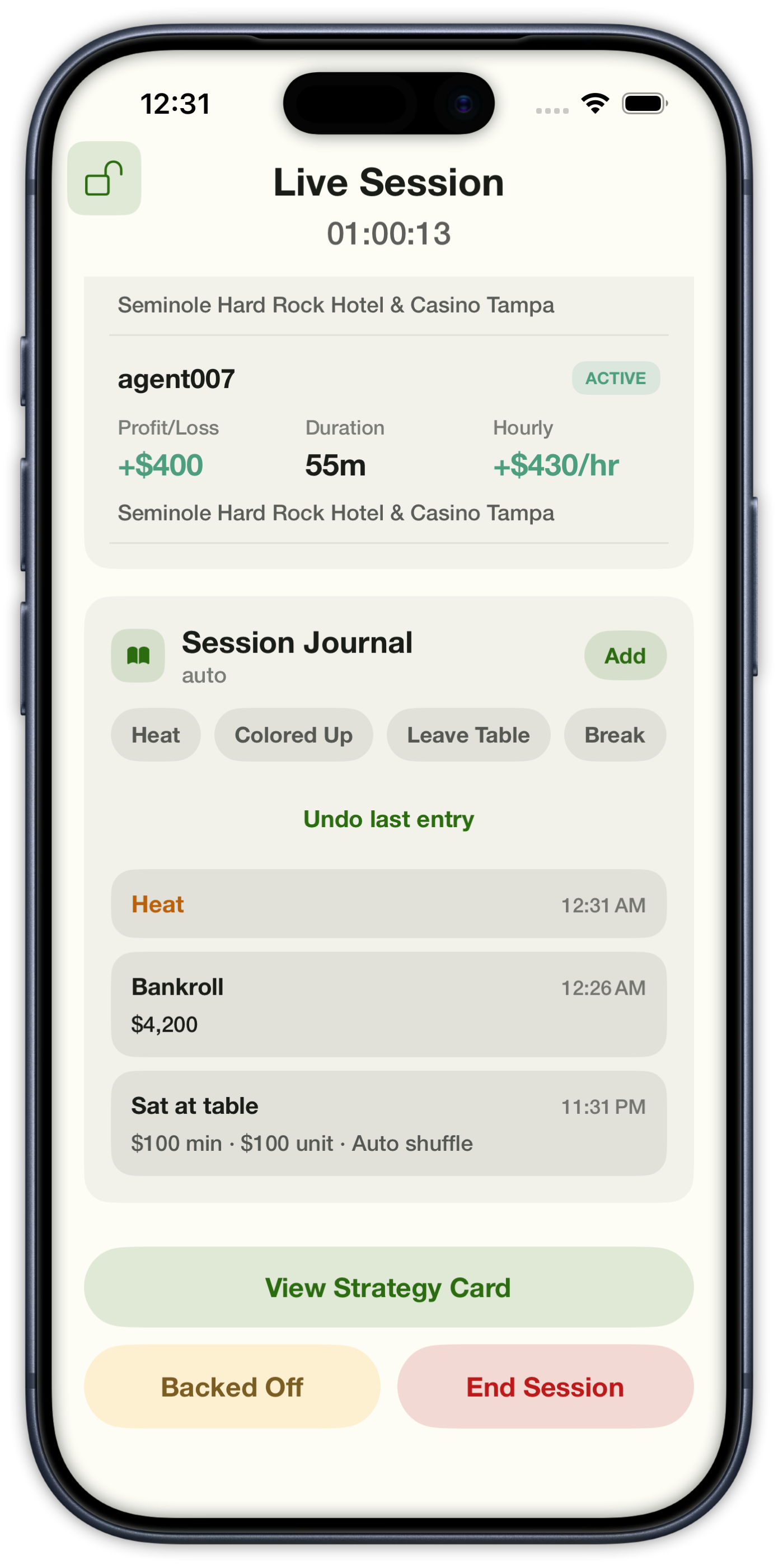
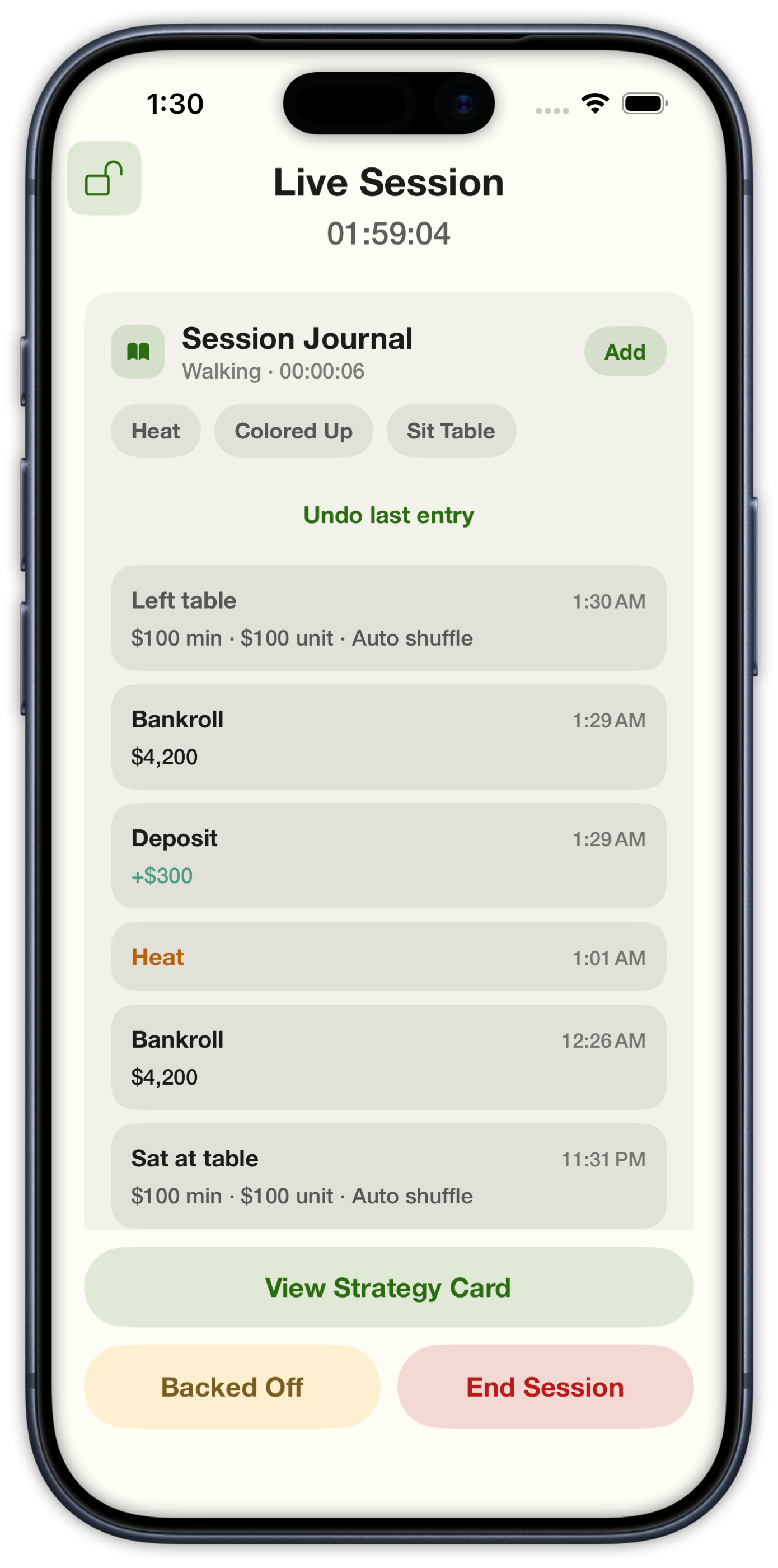
Tap Heat, Colored Up, Leave Table, or Break for a quick entry. After you leave, the journal shows Walking and Sit Table so you can sit again without ending the session. Or build a full log — current bank, deposit, or withdrawal, plus update or change table — and add a note.

Journal Entry sheet with bankroll update, change table, and optional note
Journal Entry
Live session journal showing a Heat entry with profit, duration, and hourly
Heat
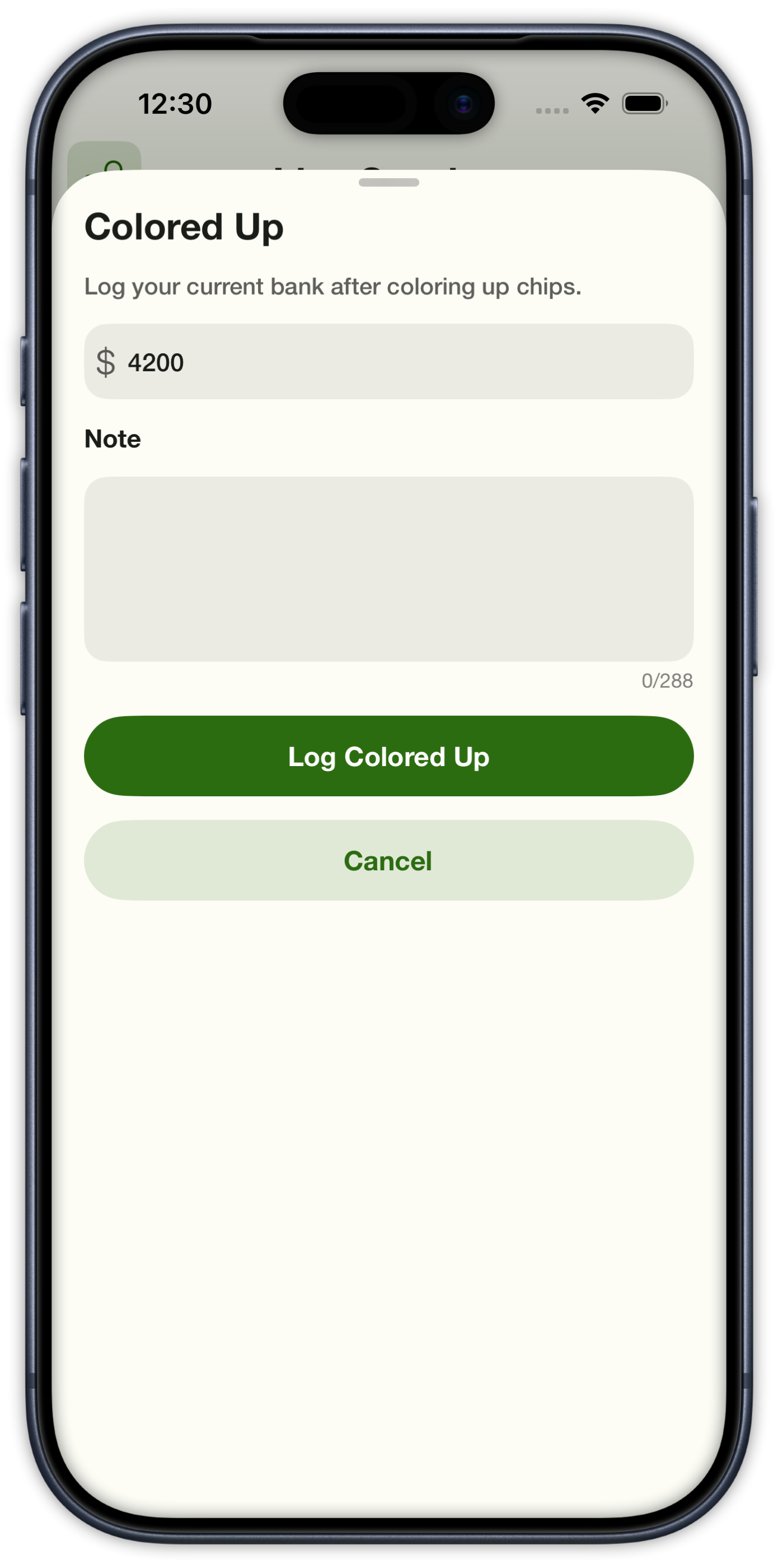
Colored Up sheet to log current bank after exchanging chips
Colored Up
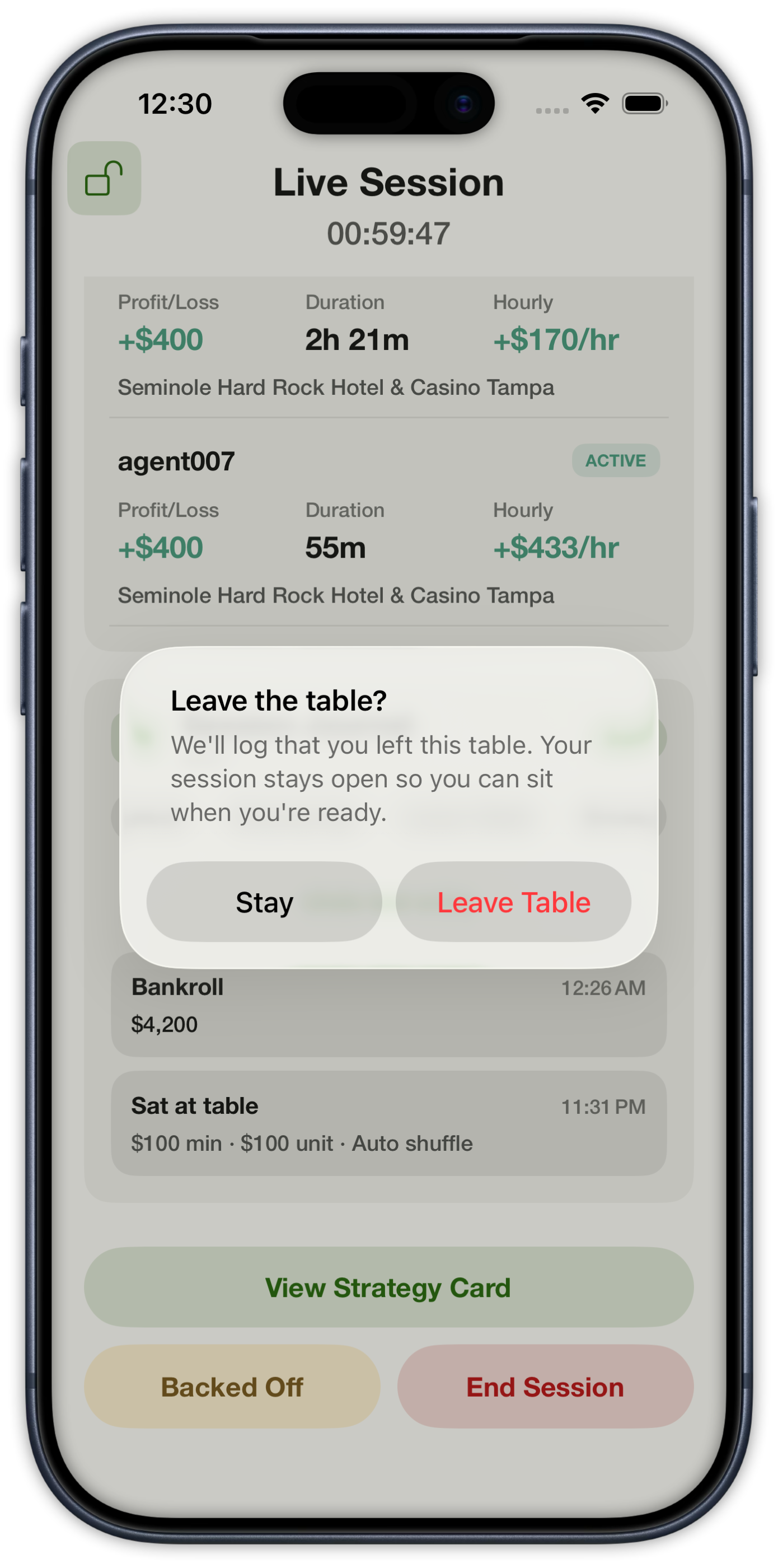
Leave the table confirmation that keeps the session open
Leave Table
Session Journal while walking with Sit Table, a Left table entry, and heat in the log
Walking
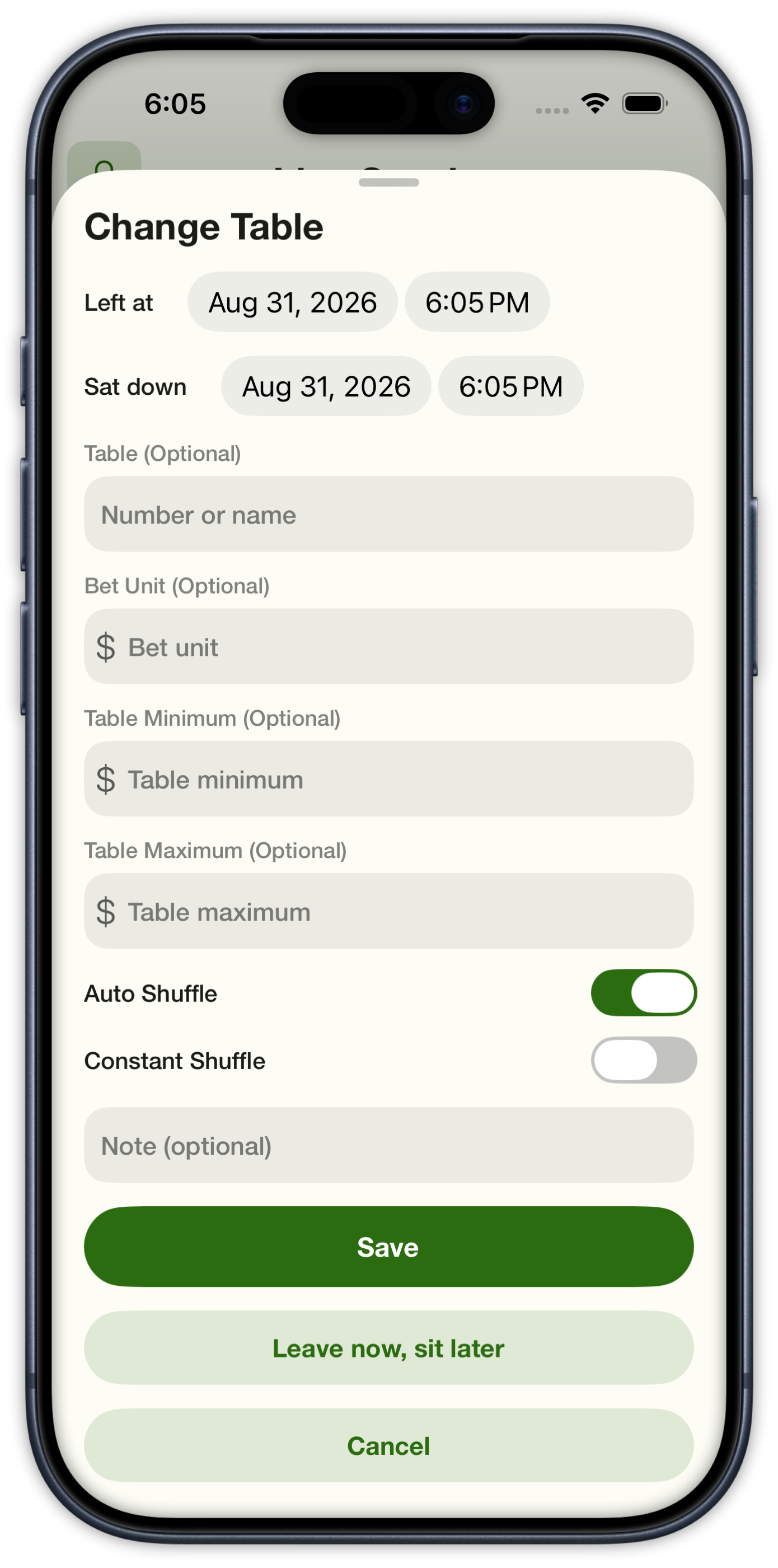
Change Table sheet with leave and sit times, bet unit, and shuffle type
Change Table

04|PIN Lock & Heat

PIN Lock & Heat

Lock the live screen with a PIN, and mark a back-off so we can warn you next time.

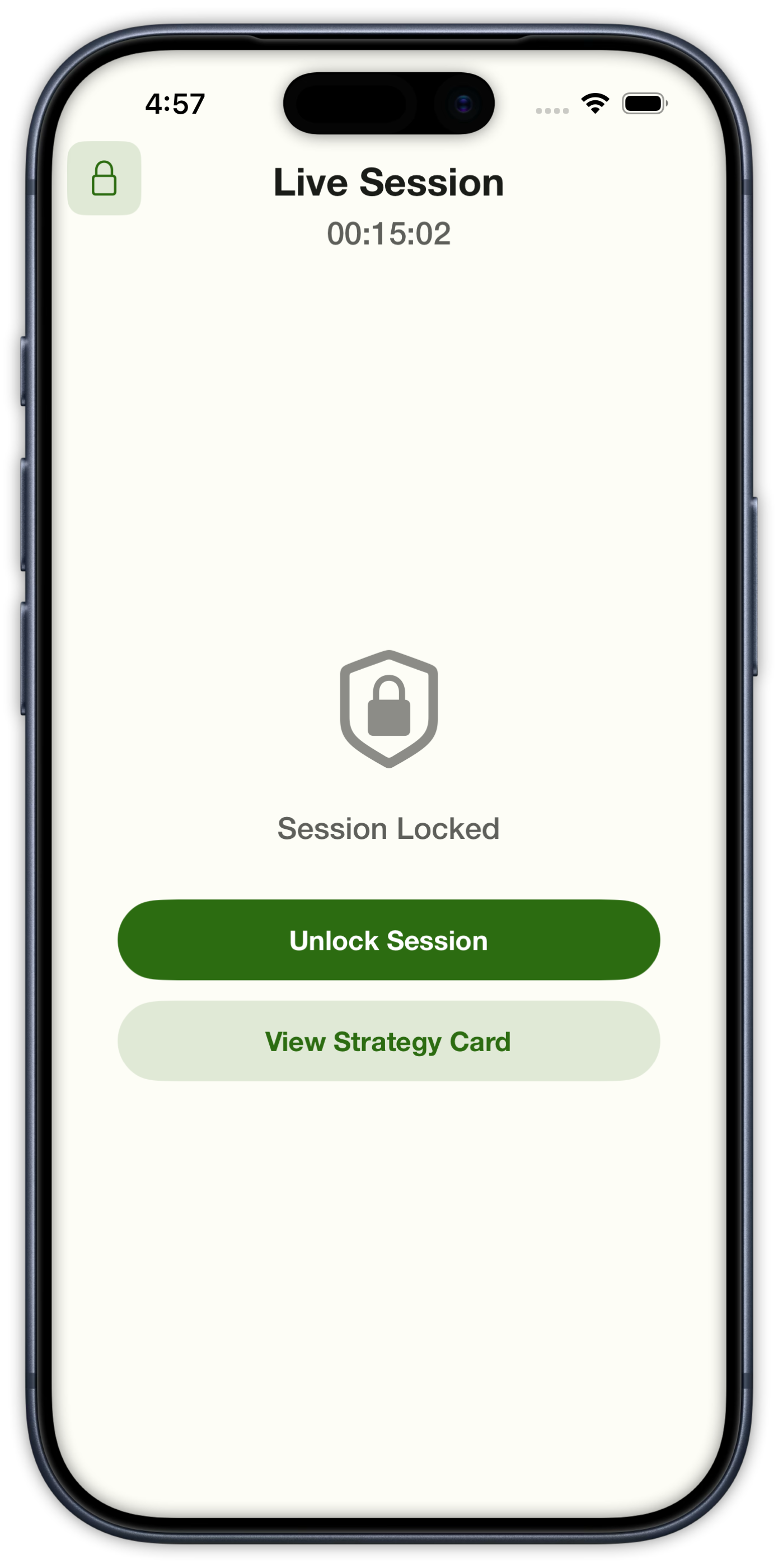
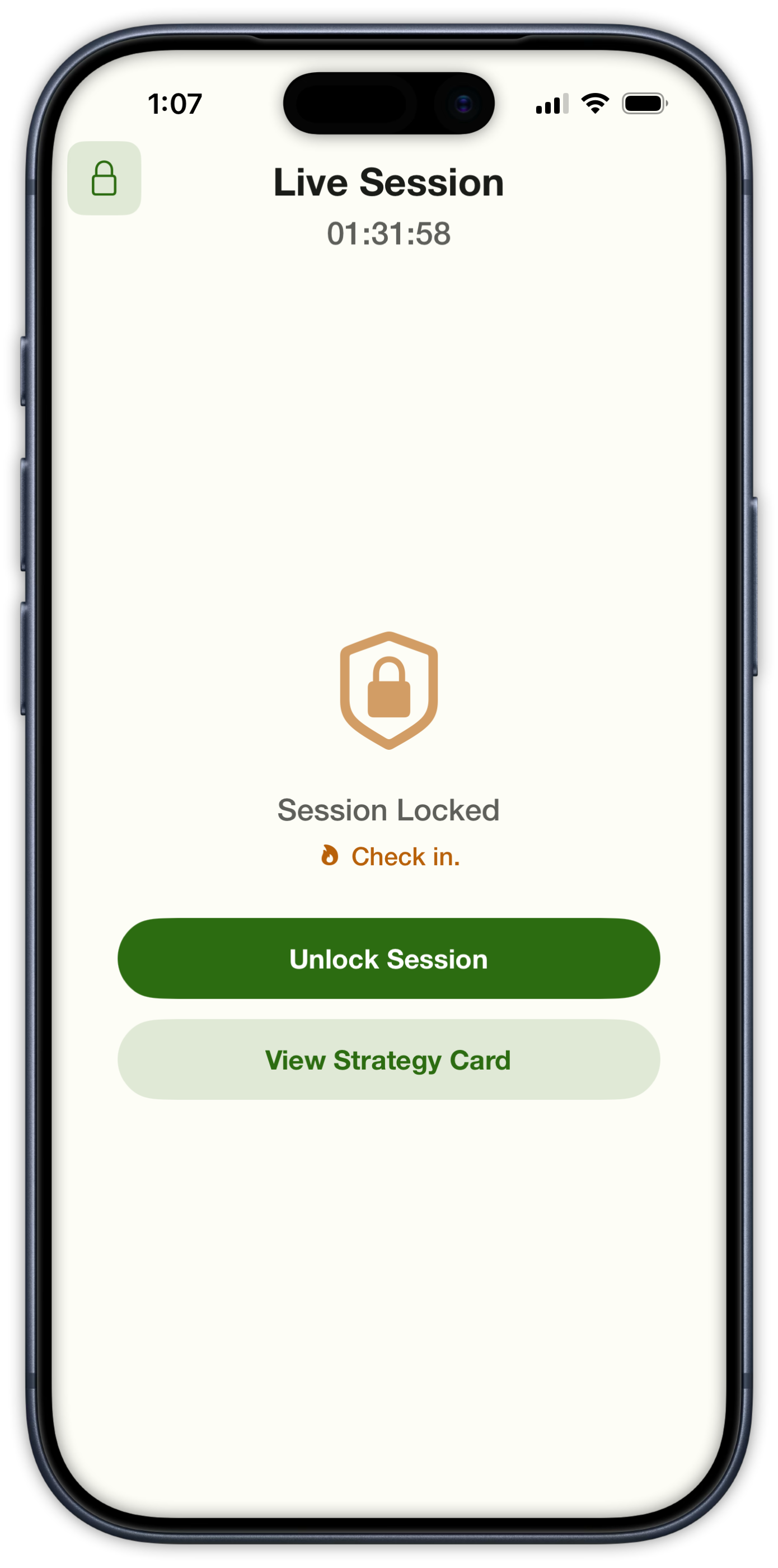
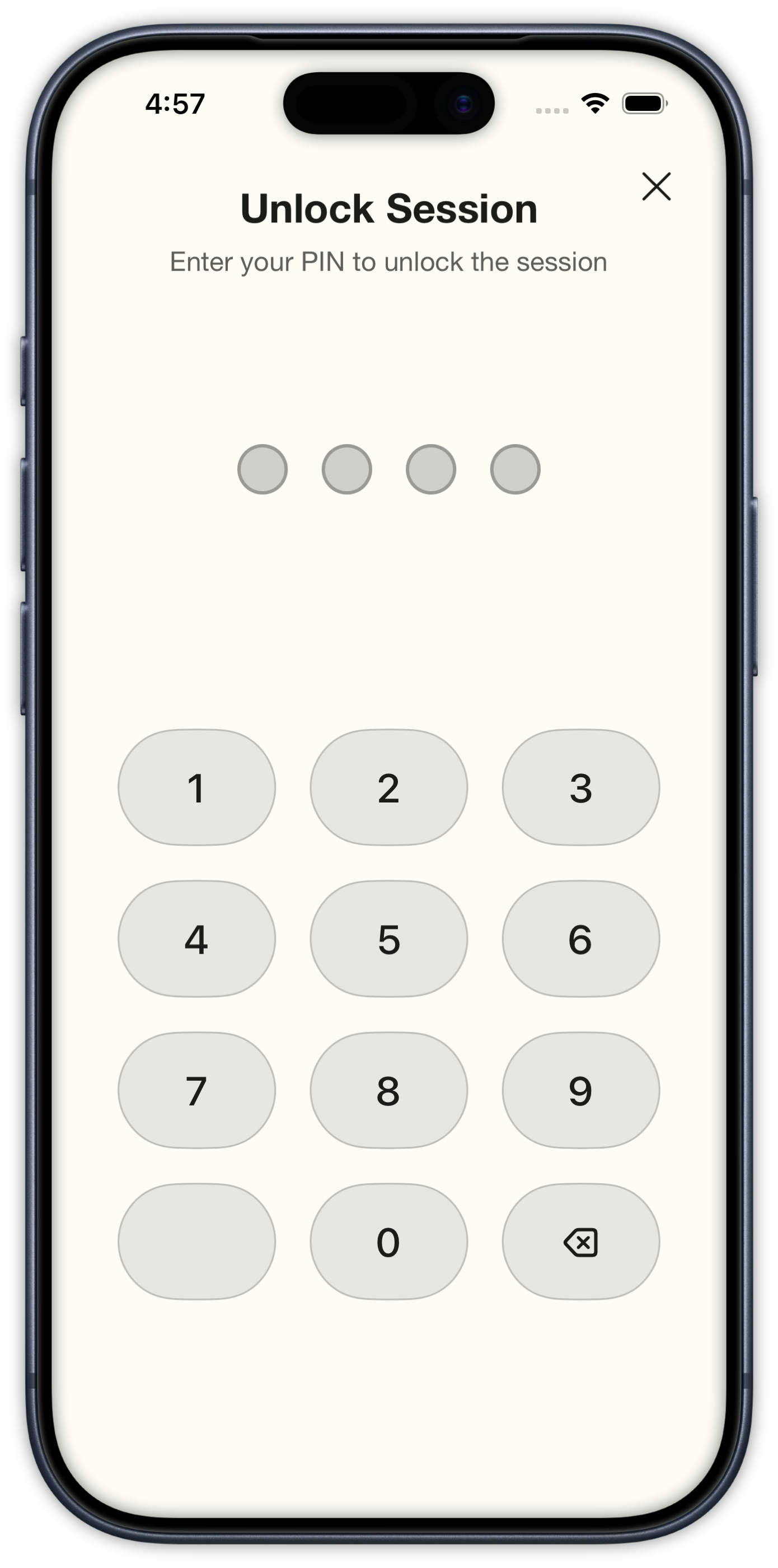
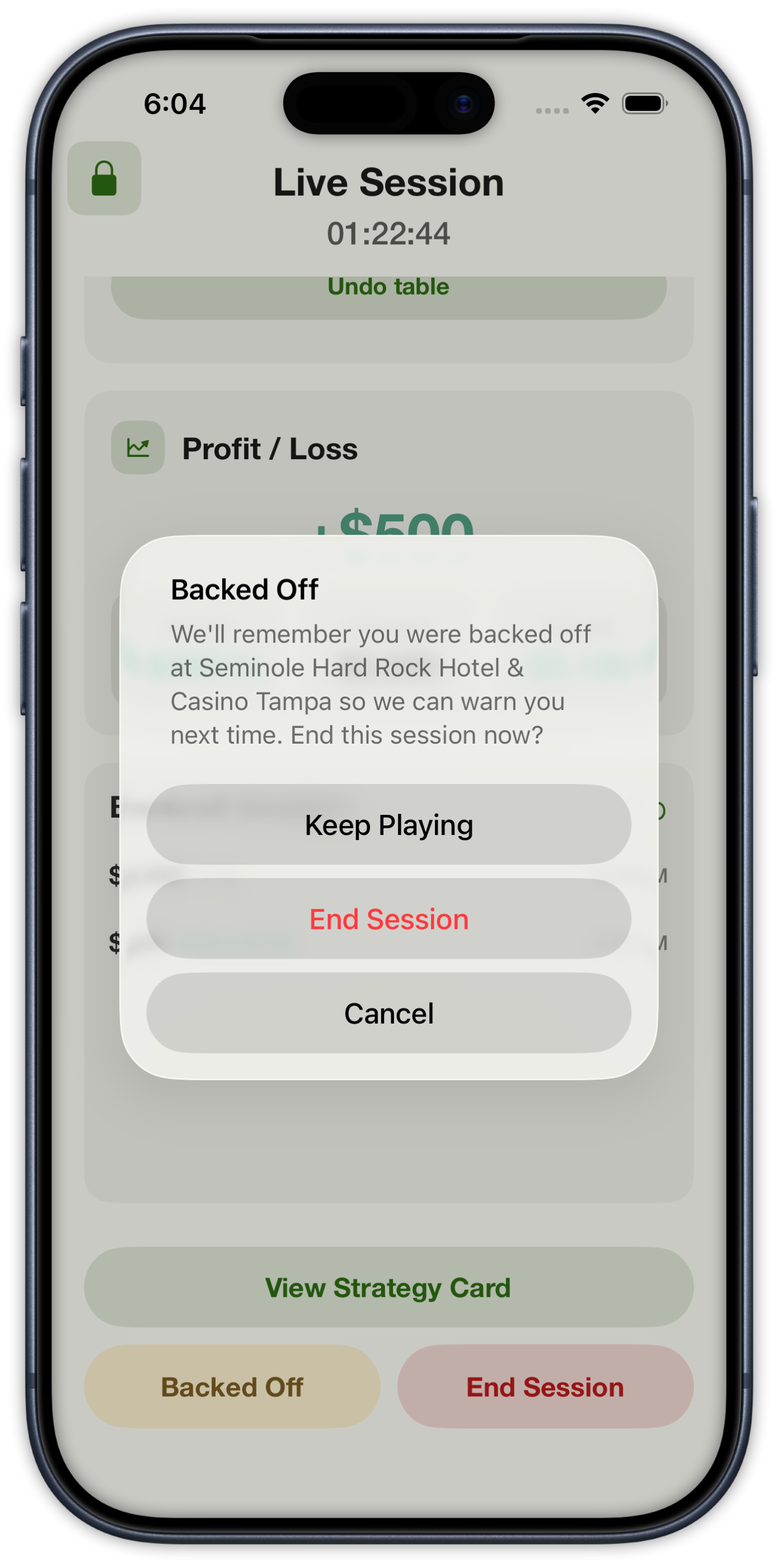
Secure Mode hides bankroll numbers behind a four-digit PIN. The strategy card still opens while the session is locked. If you logged heat, the lock screen asks you to check in. Tap Backed Off and we remember that casino — start or log another session there and we warn you to stay alert.

Locked live session with Unlock Session and View Strategy Card
Session Locked
Locked live session with a heat Check in prompt above Unlock Session
Heat check-in
Four-digit PIN entry to unlock a live session
PIN lock
Backed Off alert that remembers the casino and can end the session
Backed Off

05|Session Details

Session Details

After you walk: map, hourly rate, ROI, table rules, team P/L, and the Session Journal.

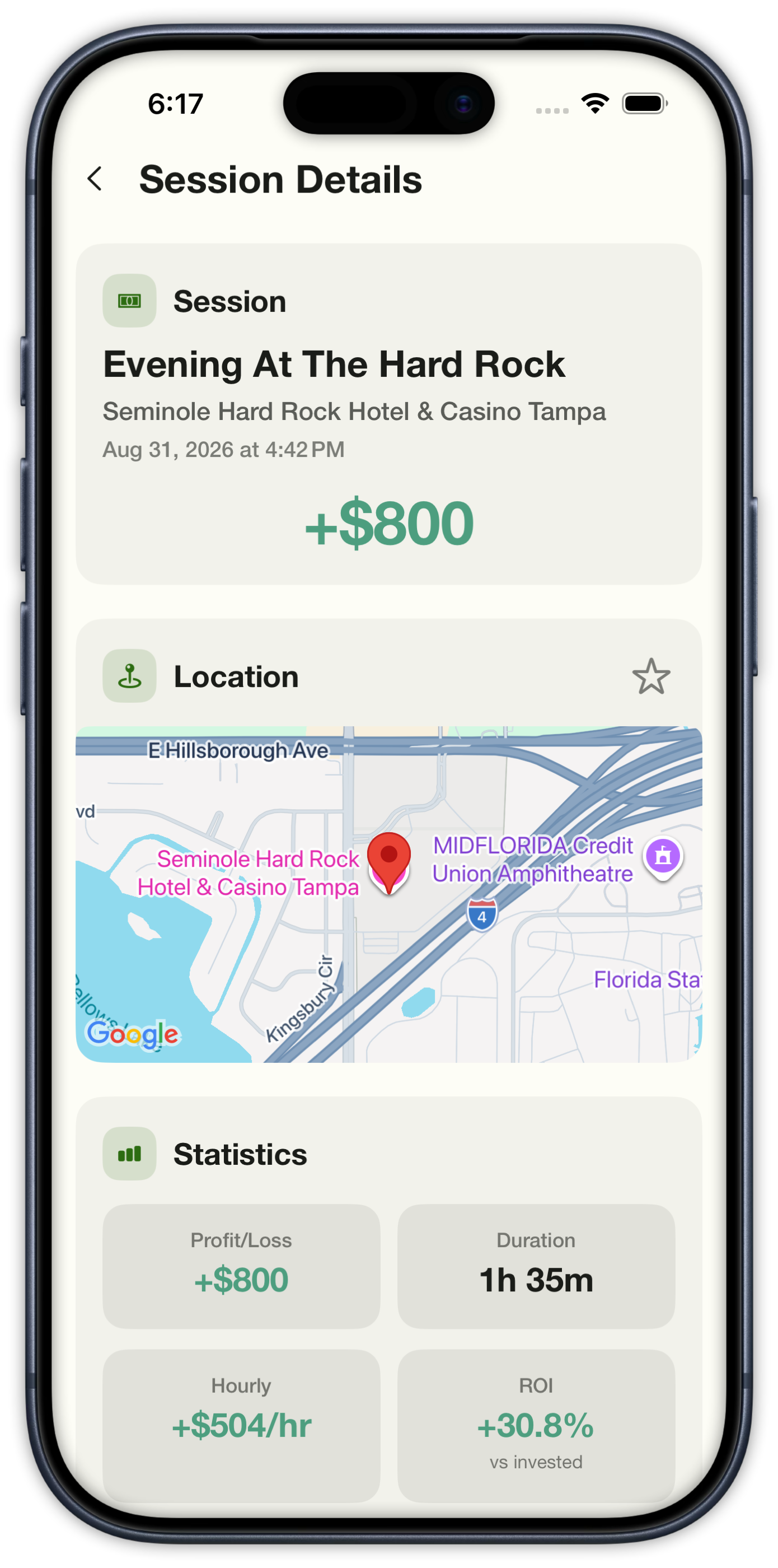
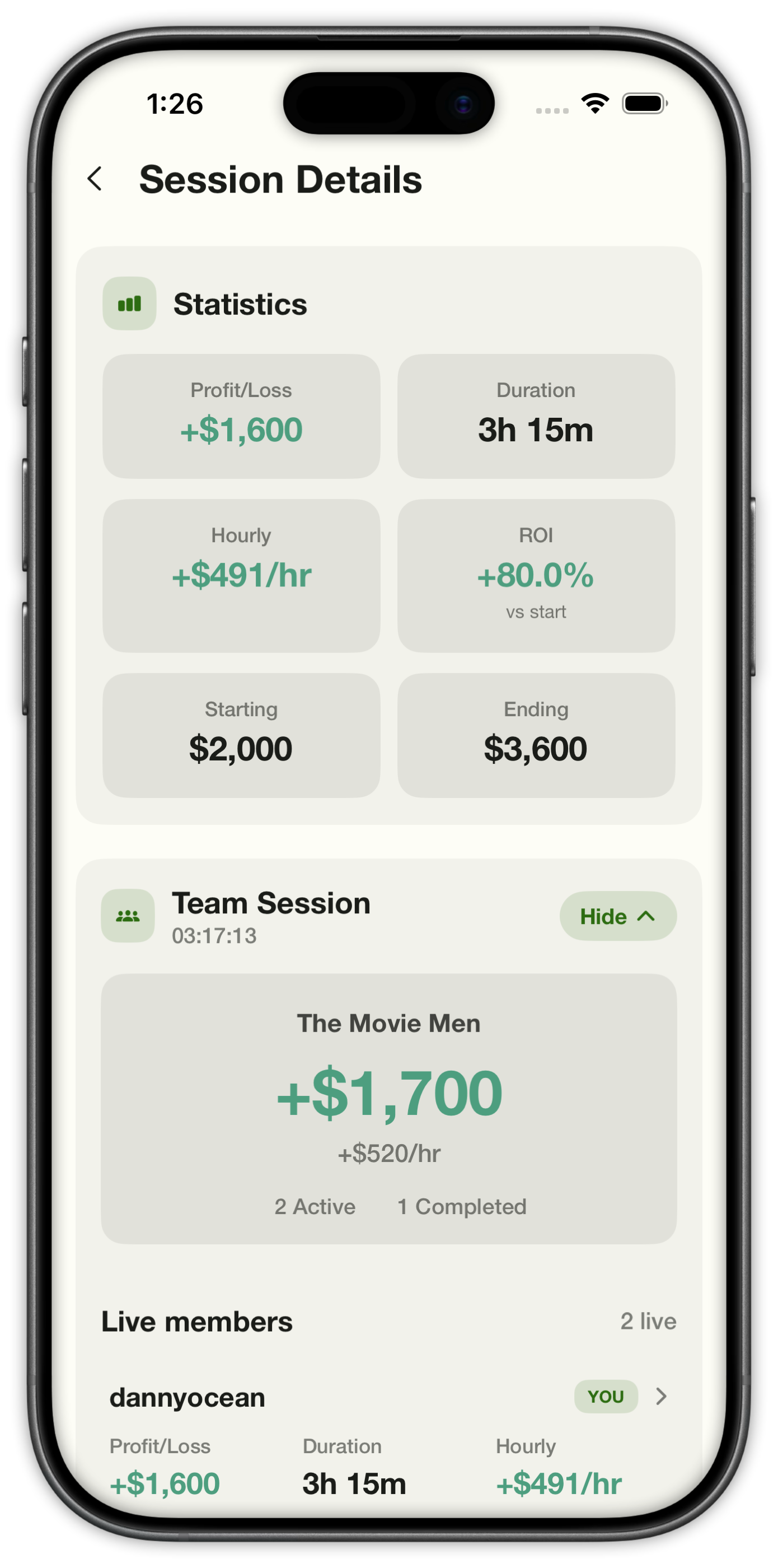
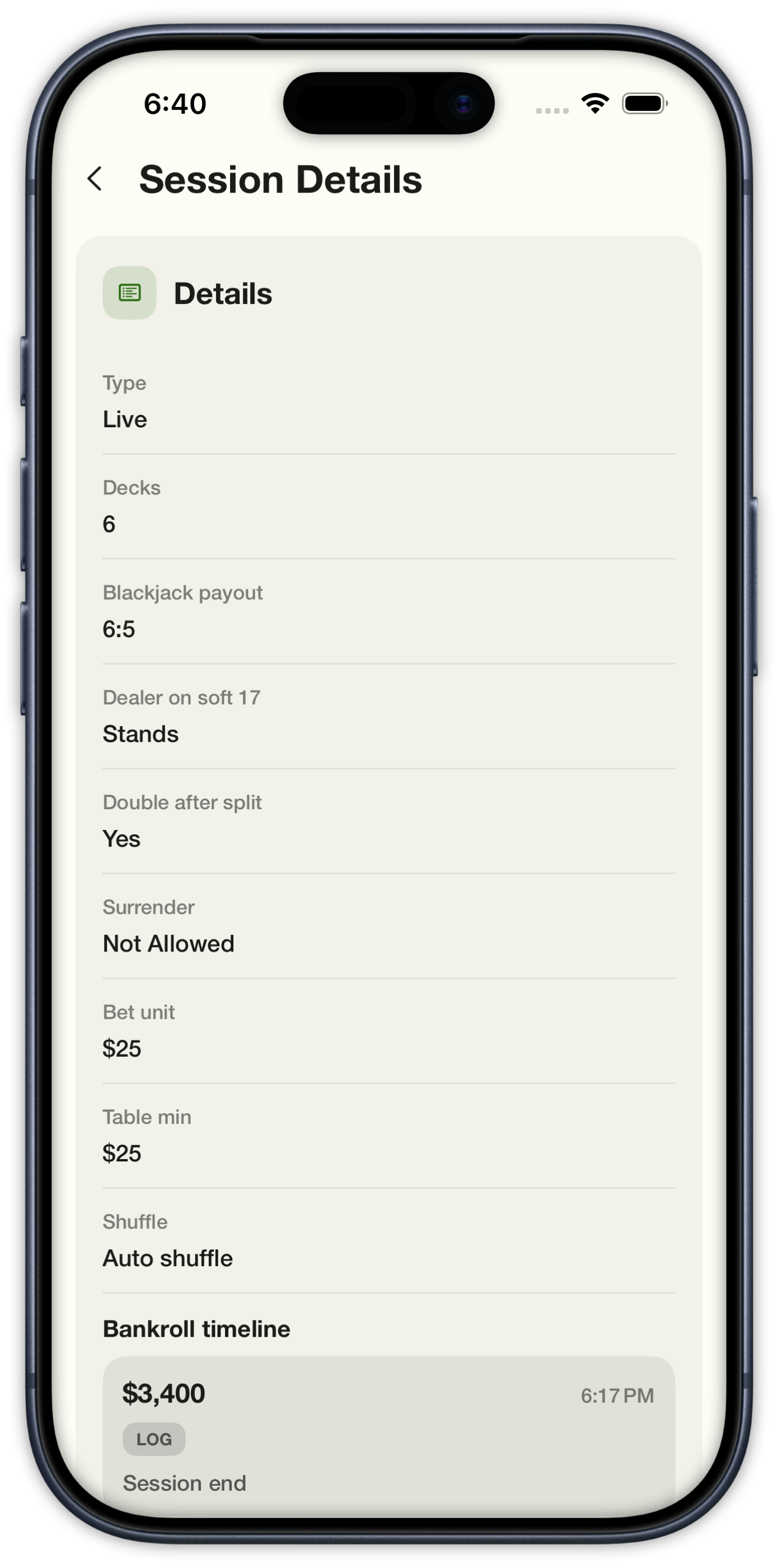
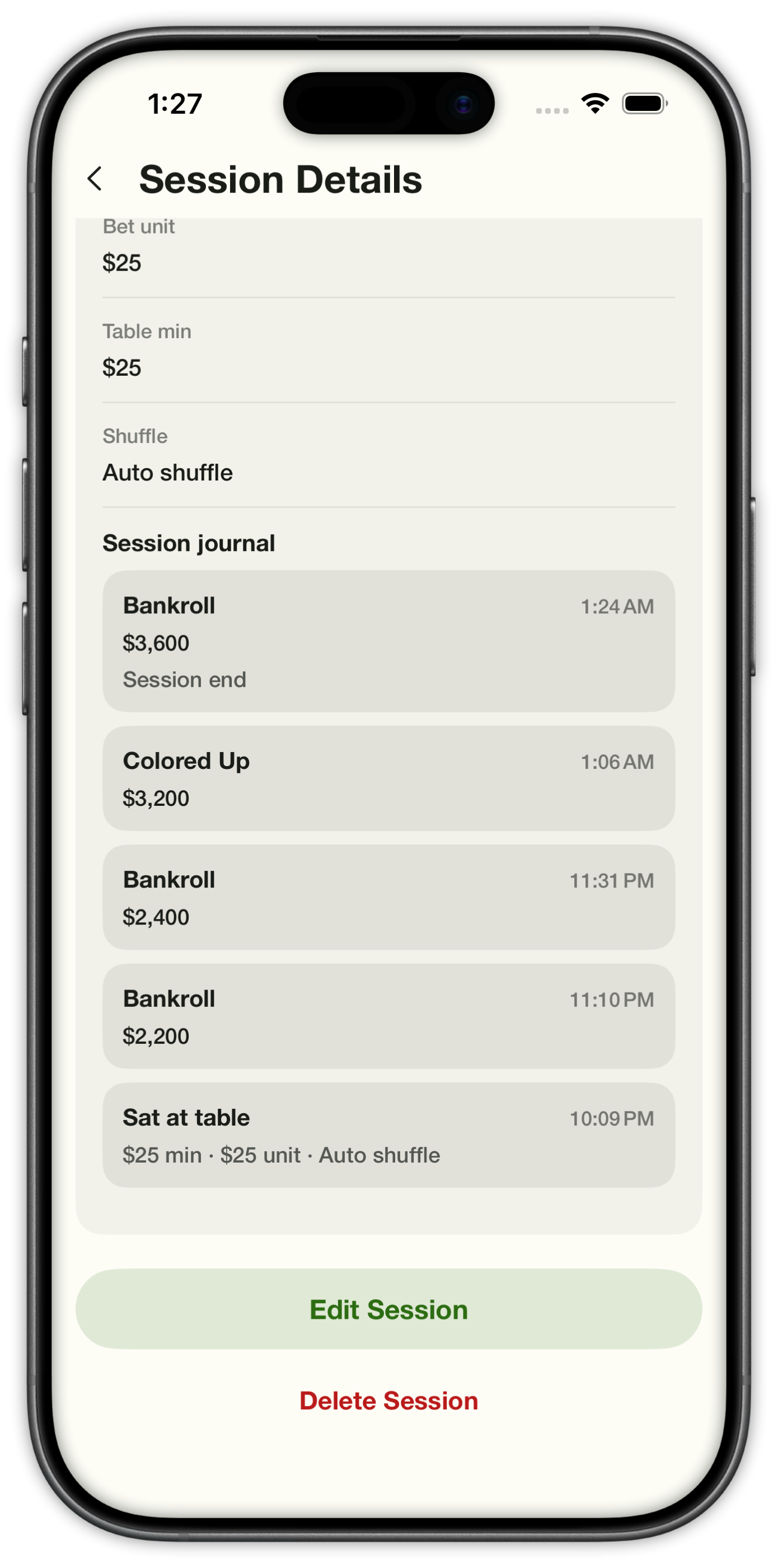
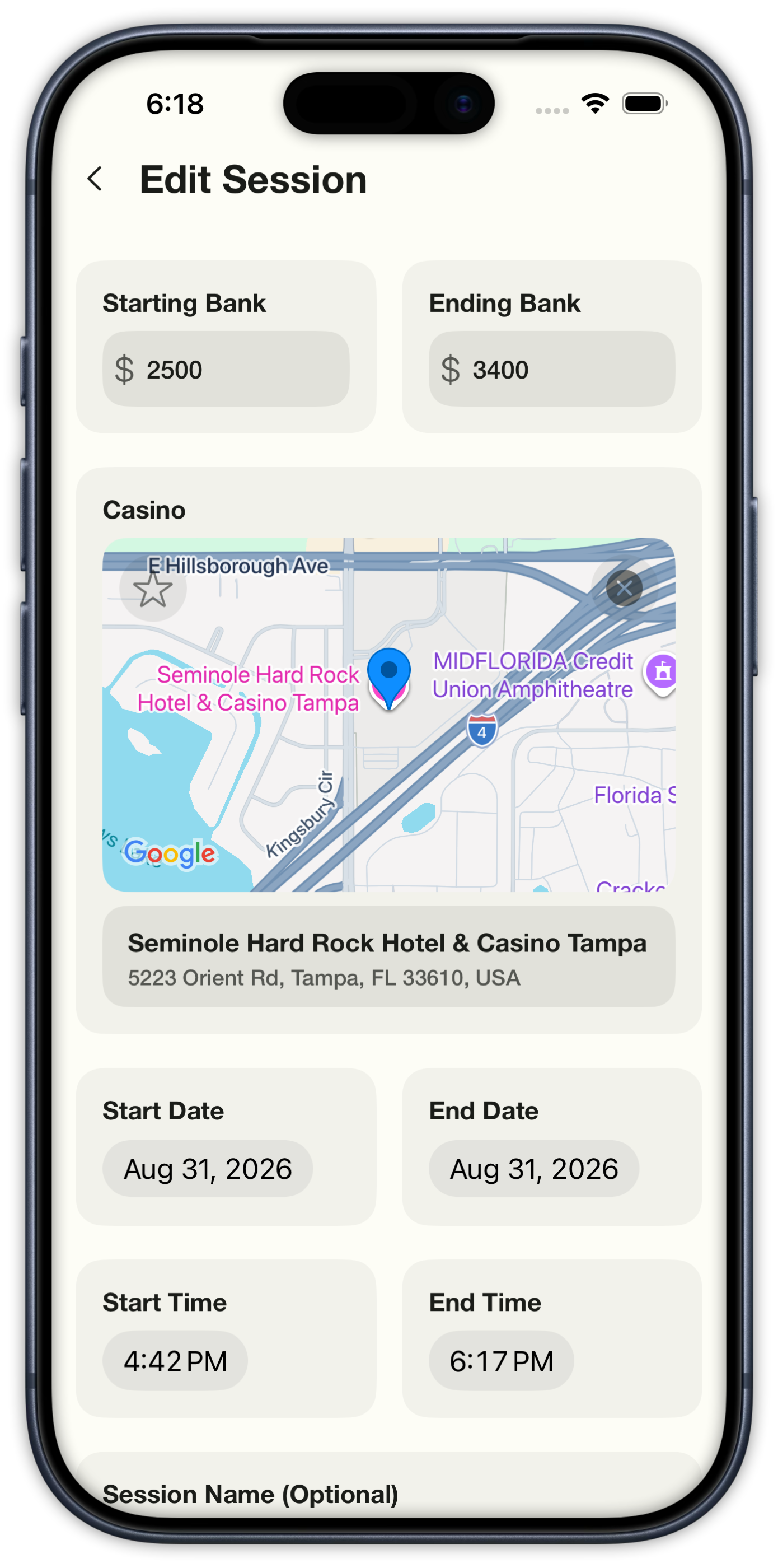
Open any session to see profit or loss, duration, dollars per hour, and return vs invested. Favorite a casino, edit times and bank, and review every journal entry from the night.

Session details with profit, casino map, duration, hourly rate, and ROI
Session Details
Session statistics with P/L, duration, hourly, ROI, starting and ending bank plus team totals
Statistics
Session details with blackjack rules, bet unit, and the start of the Session Journal
Rules & journal
Session Journal after walking with bankroll, colored up, and sat-at-table entries
Session Journal
Edit Session with starting and ending bank, casino map, and times
Edit Session

06|Team Sessions

Team Sessions

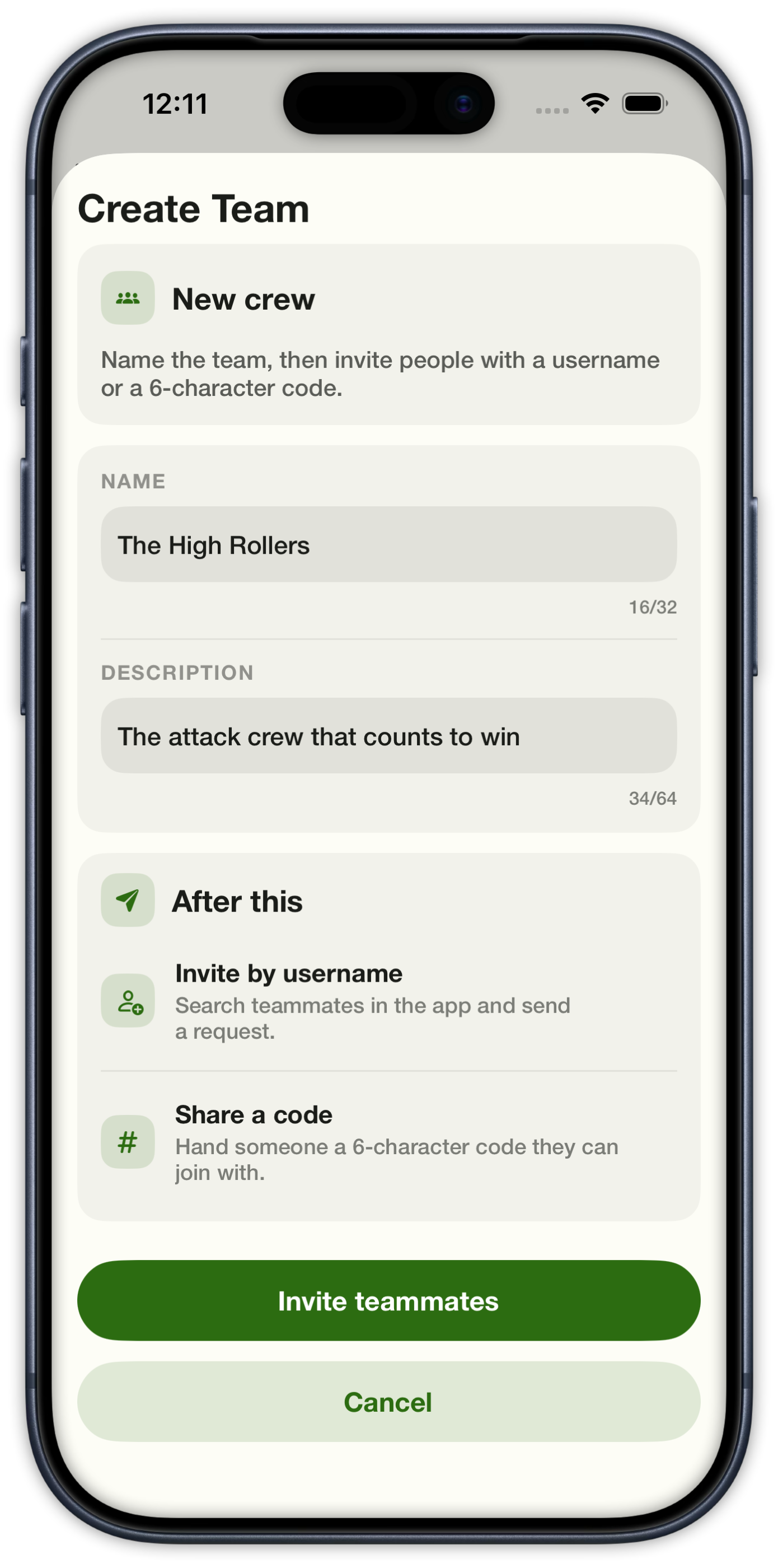
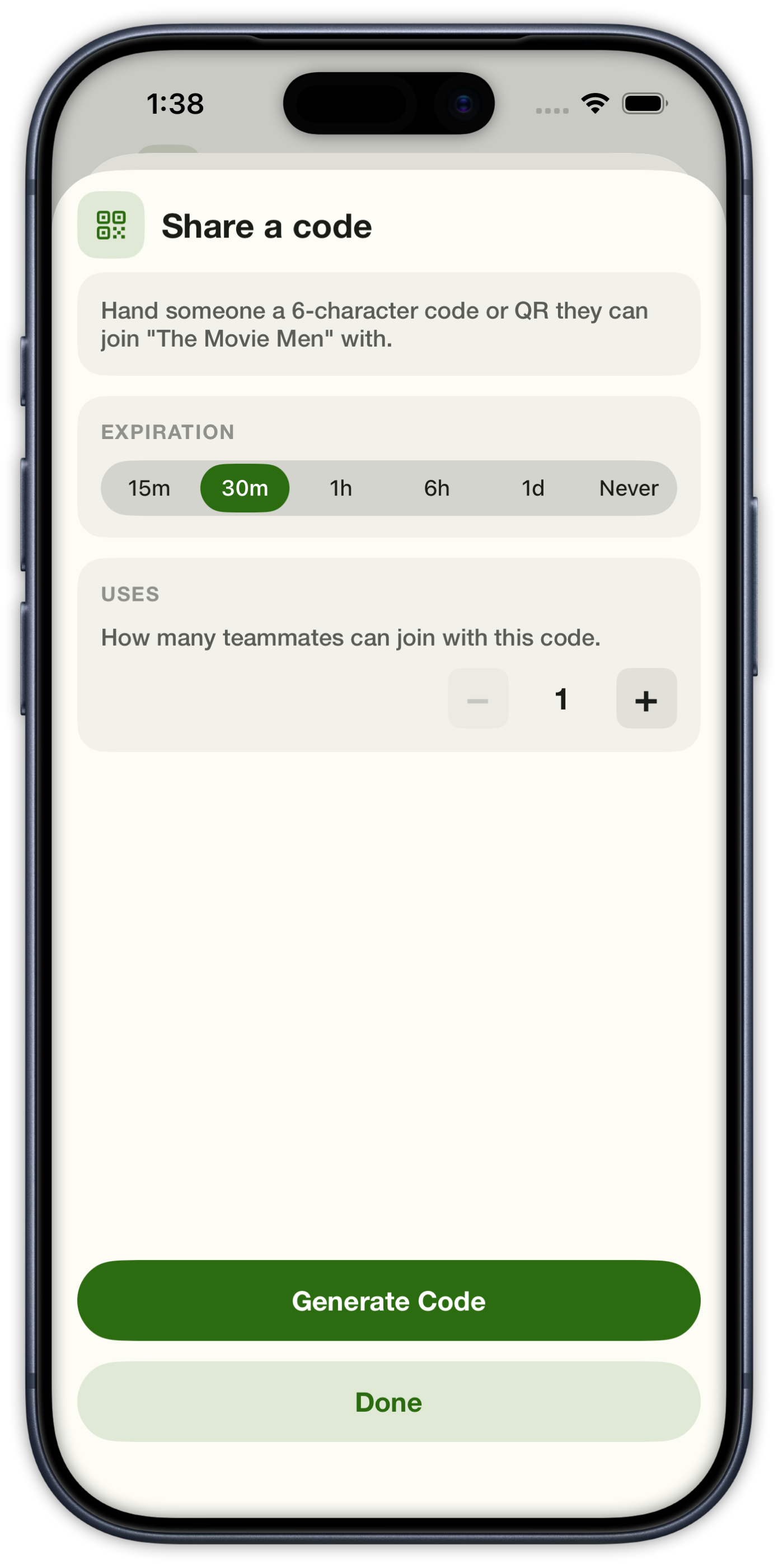
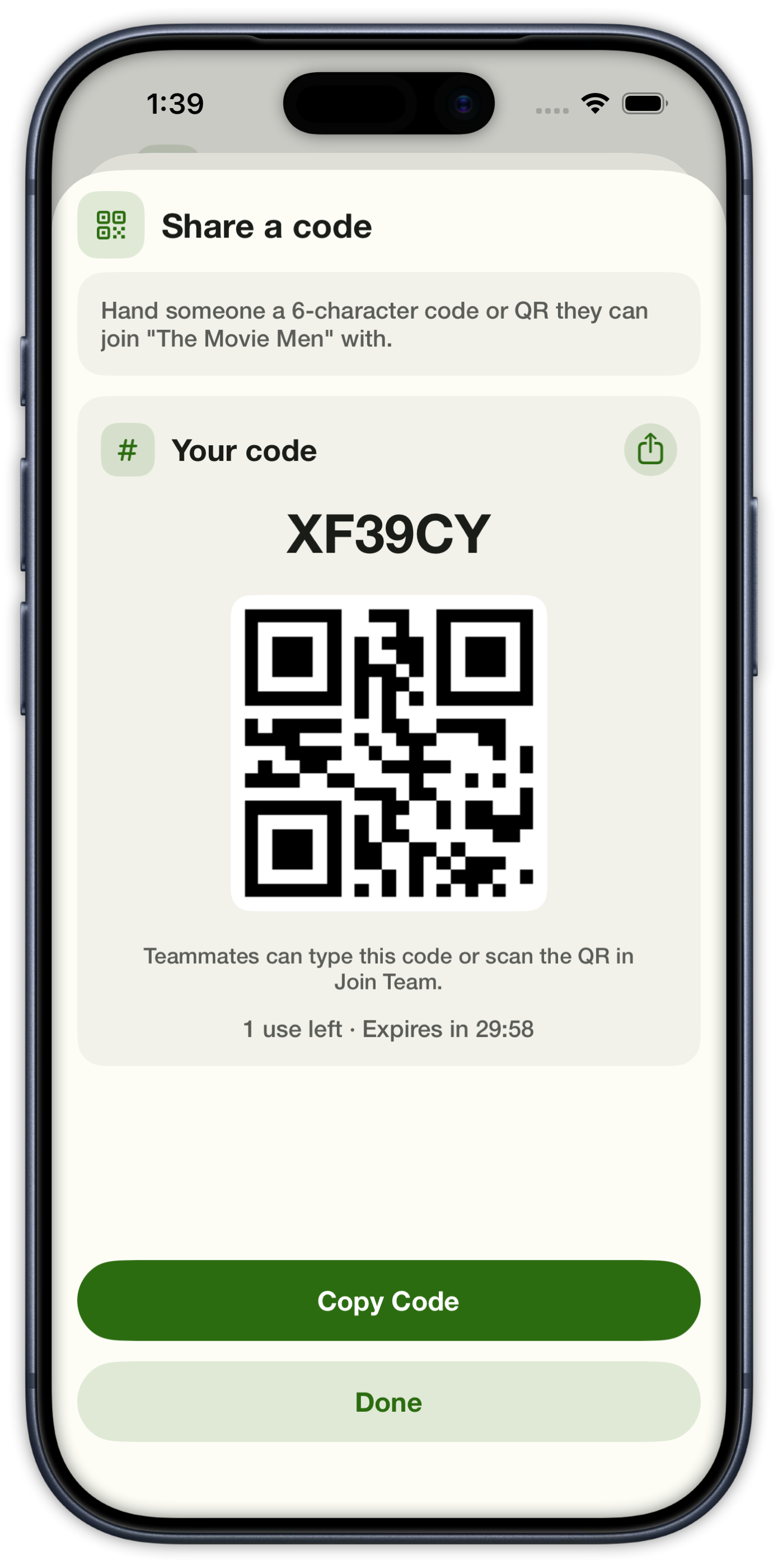
Create a team, invite with a 6-character code or QR, and share a live bankroll.

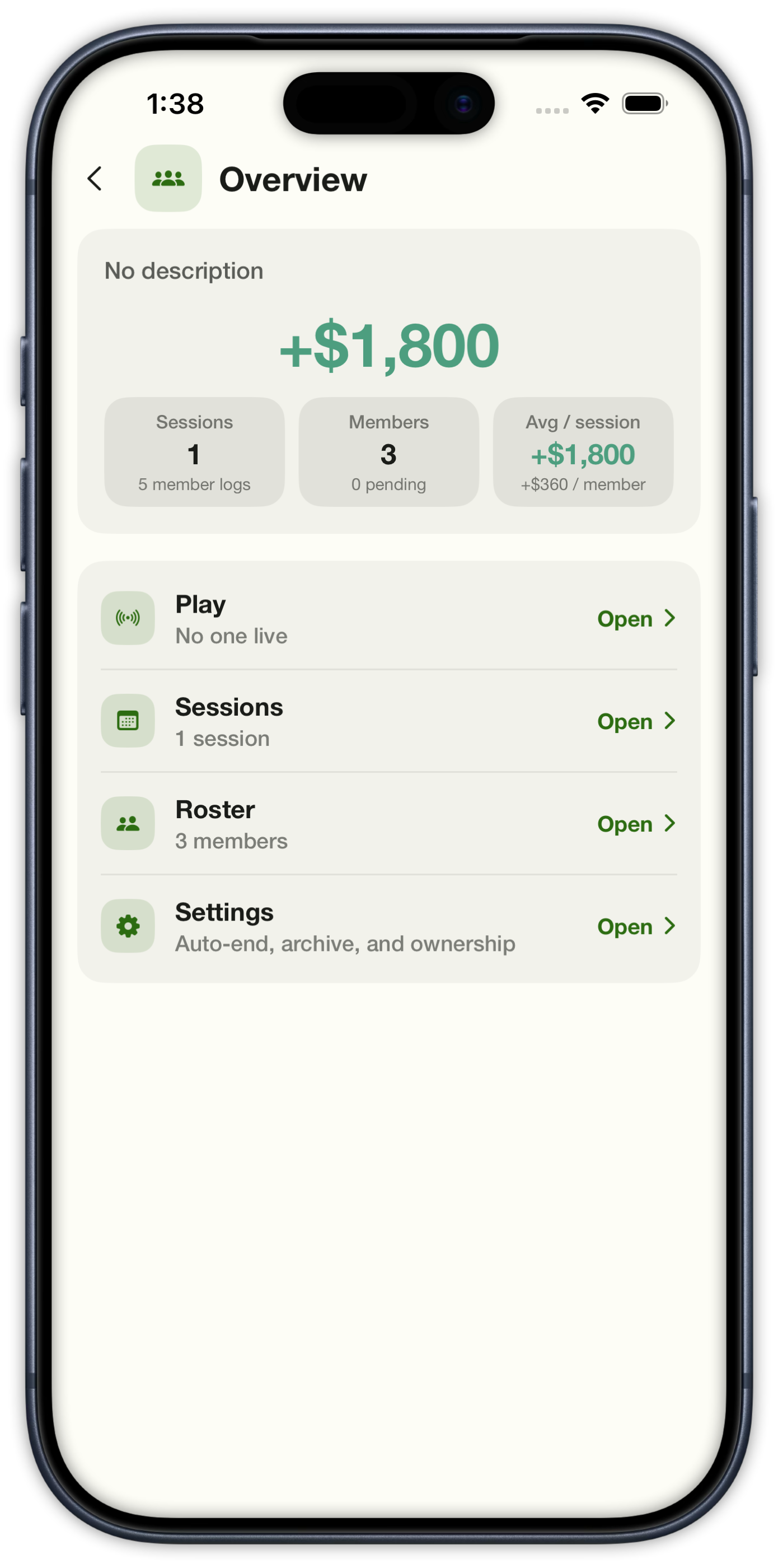
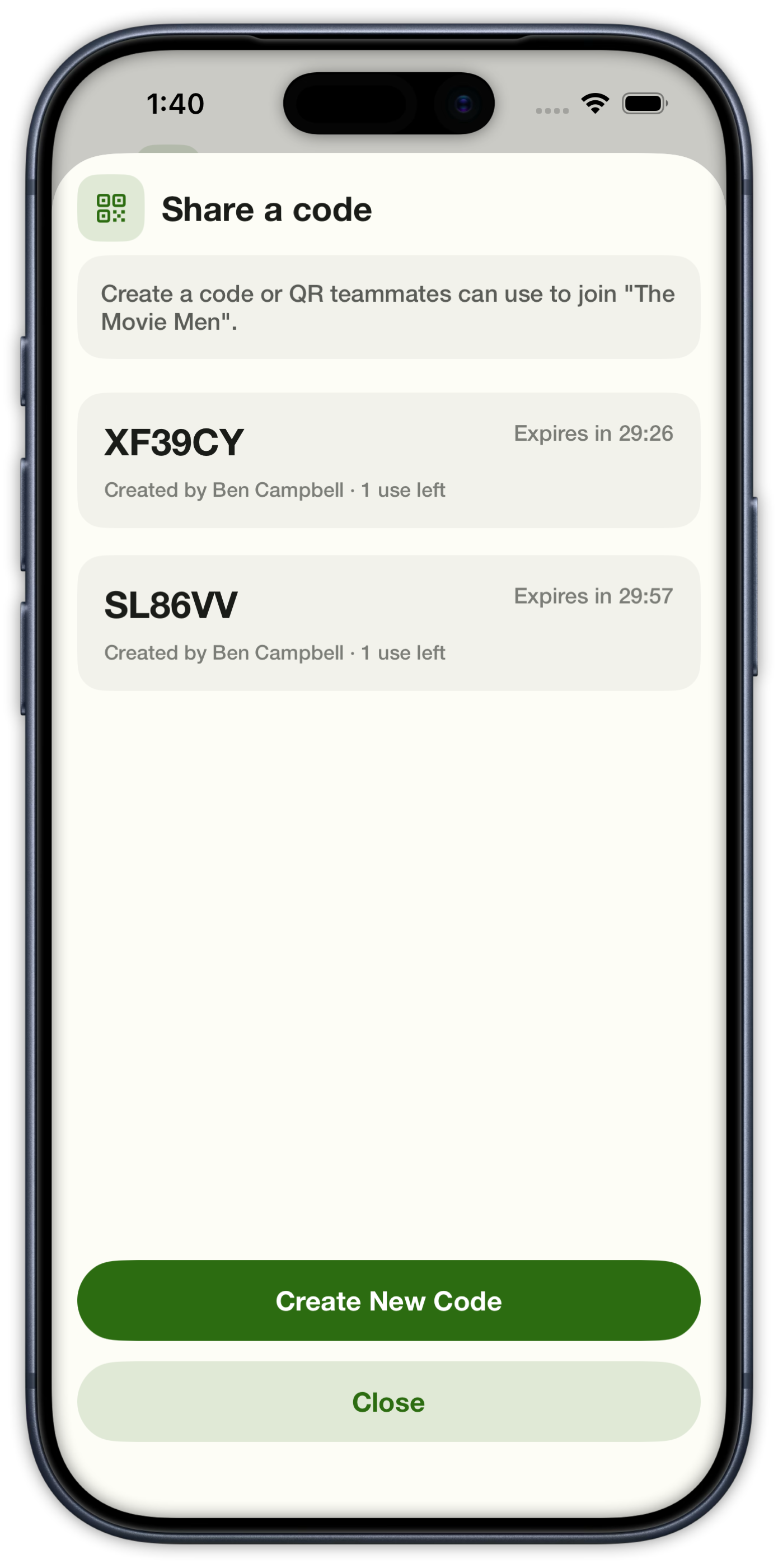
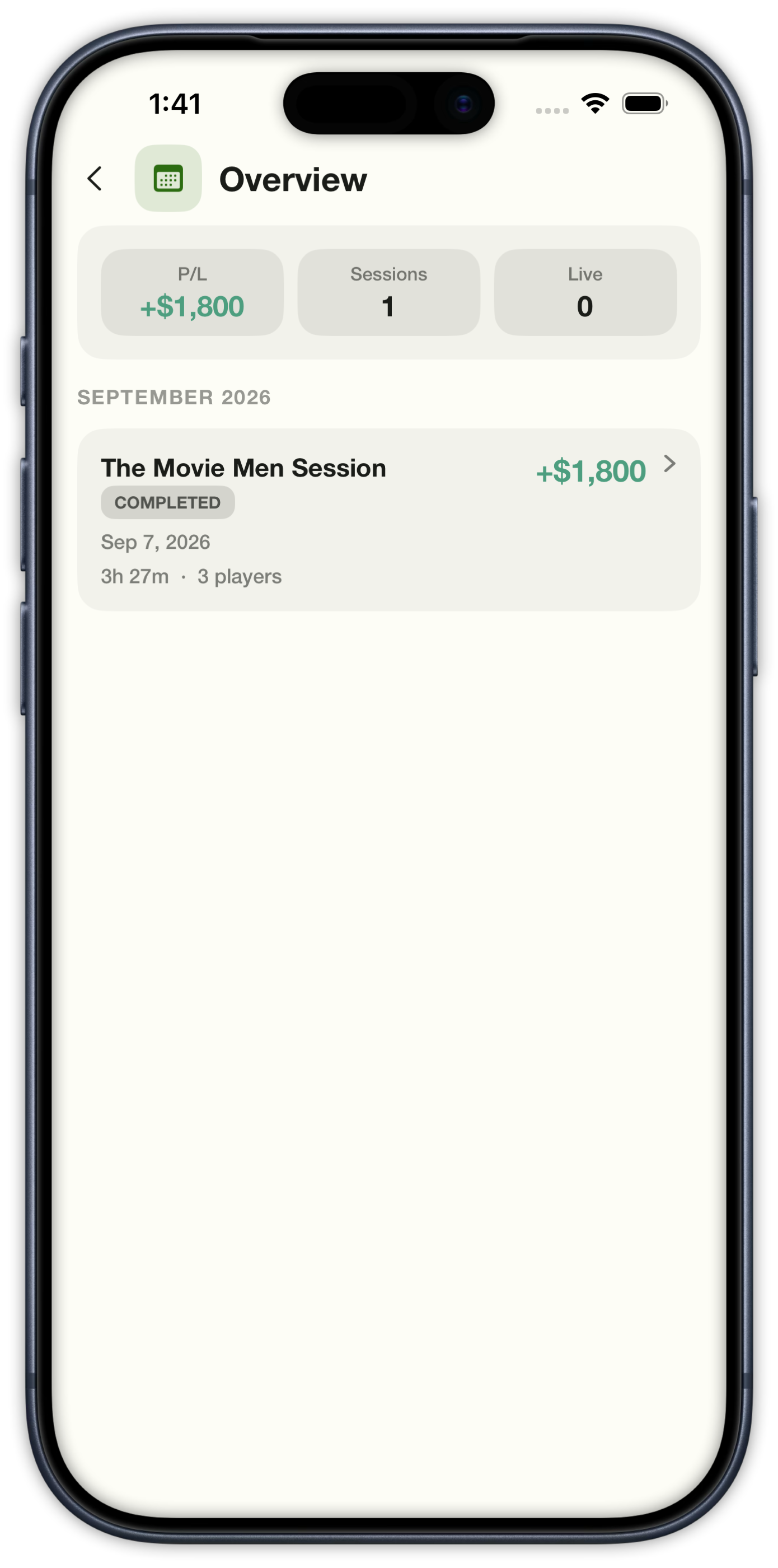
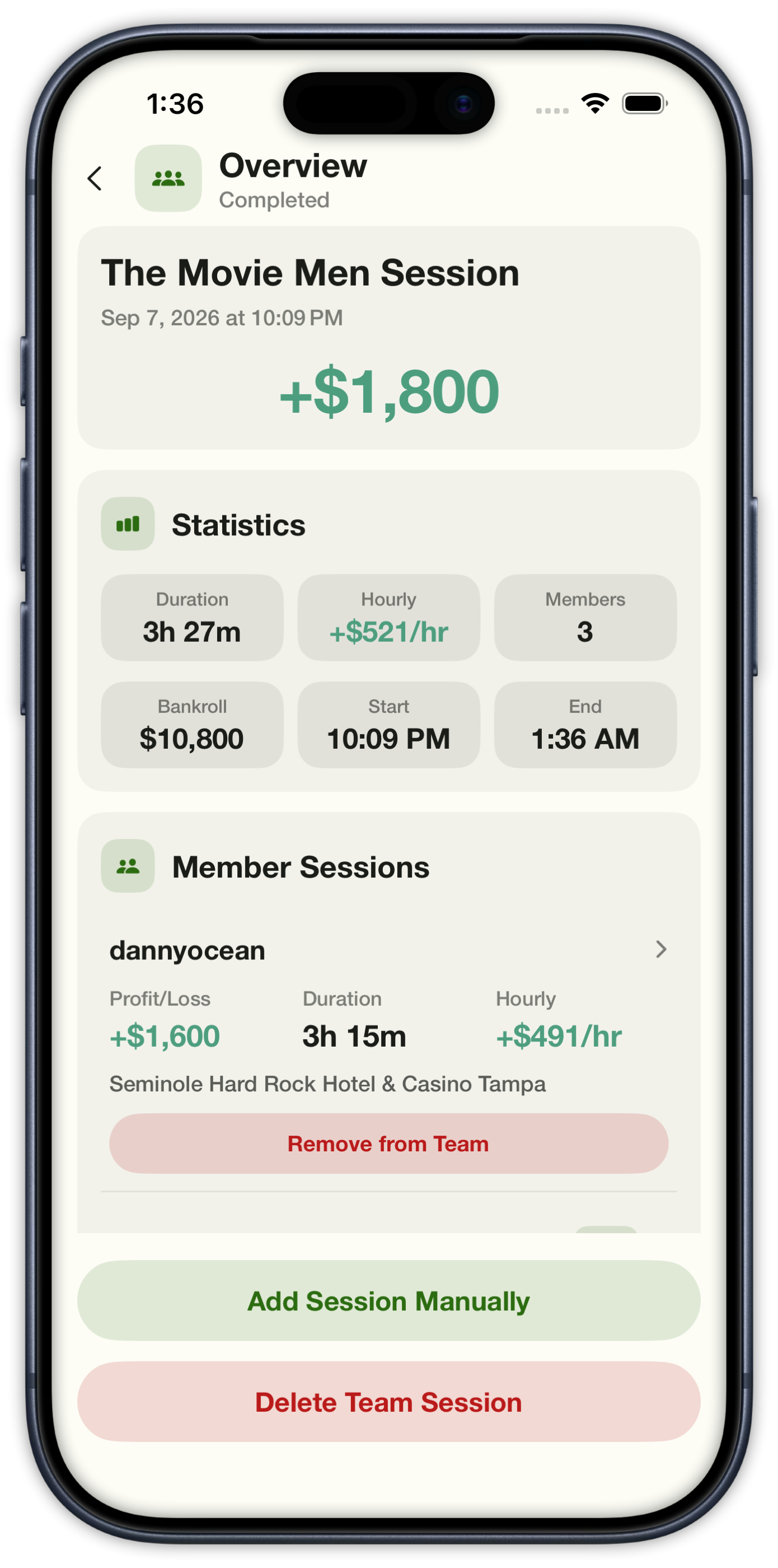
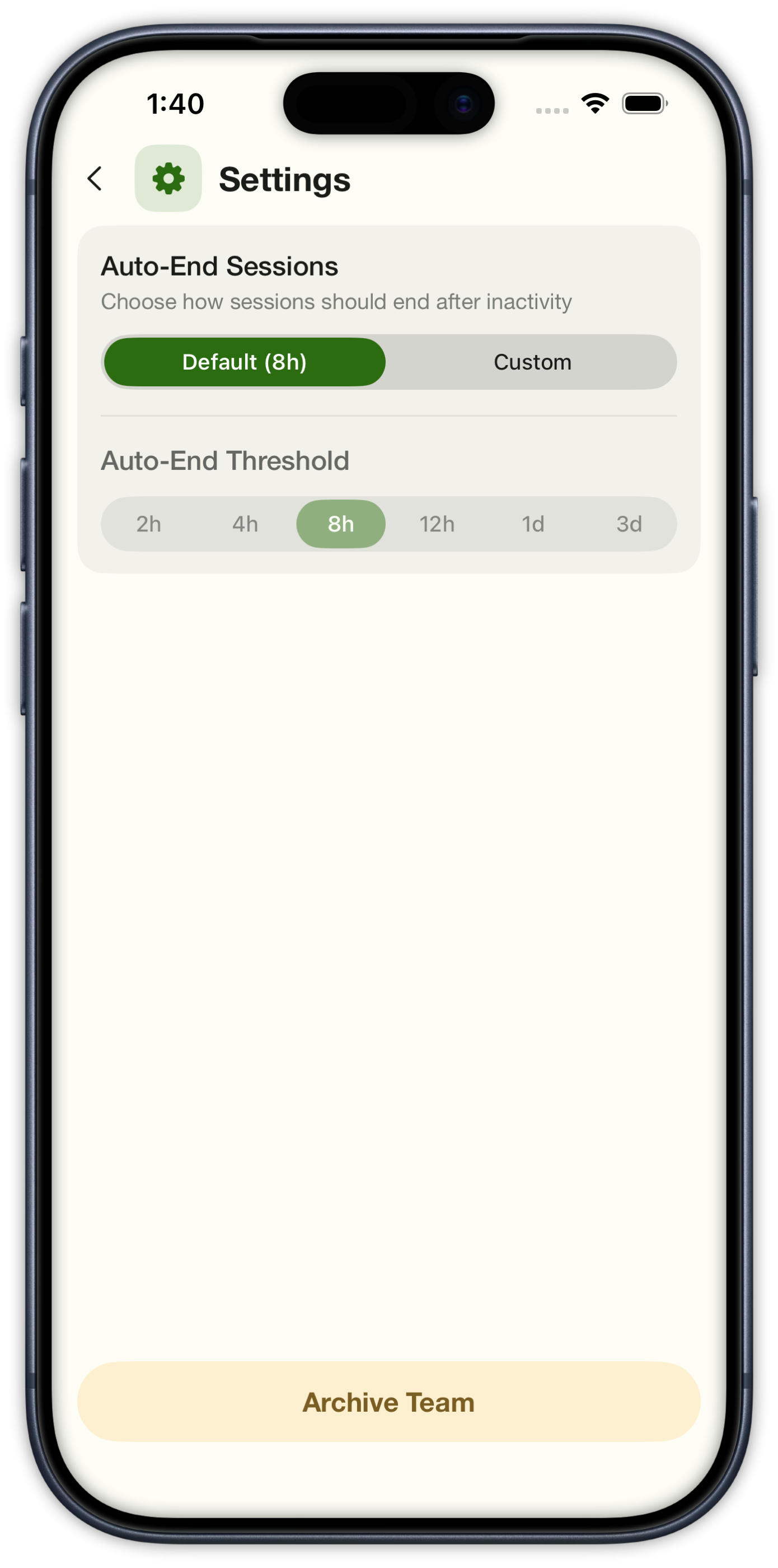
Name the crew, then set how long a code lasts and how many people can use it. They type it or scan the QR. Overview shows team P/L, roster, sessions, and settings — including auto-end after inactivity. Each player’s session links into the same live team bankroll.

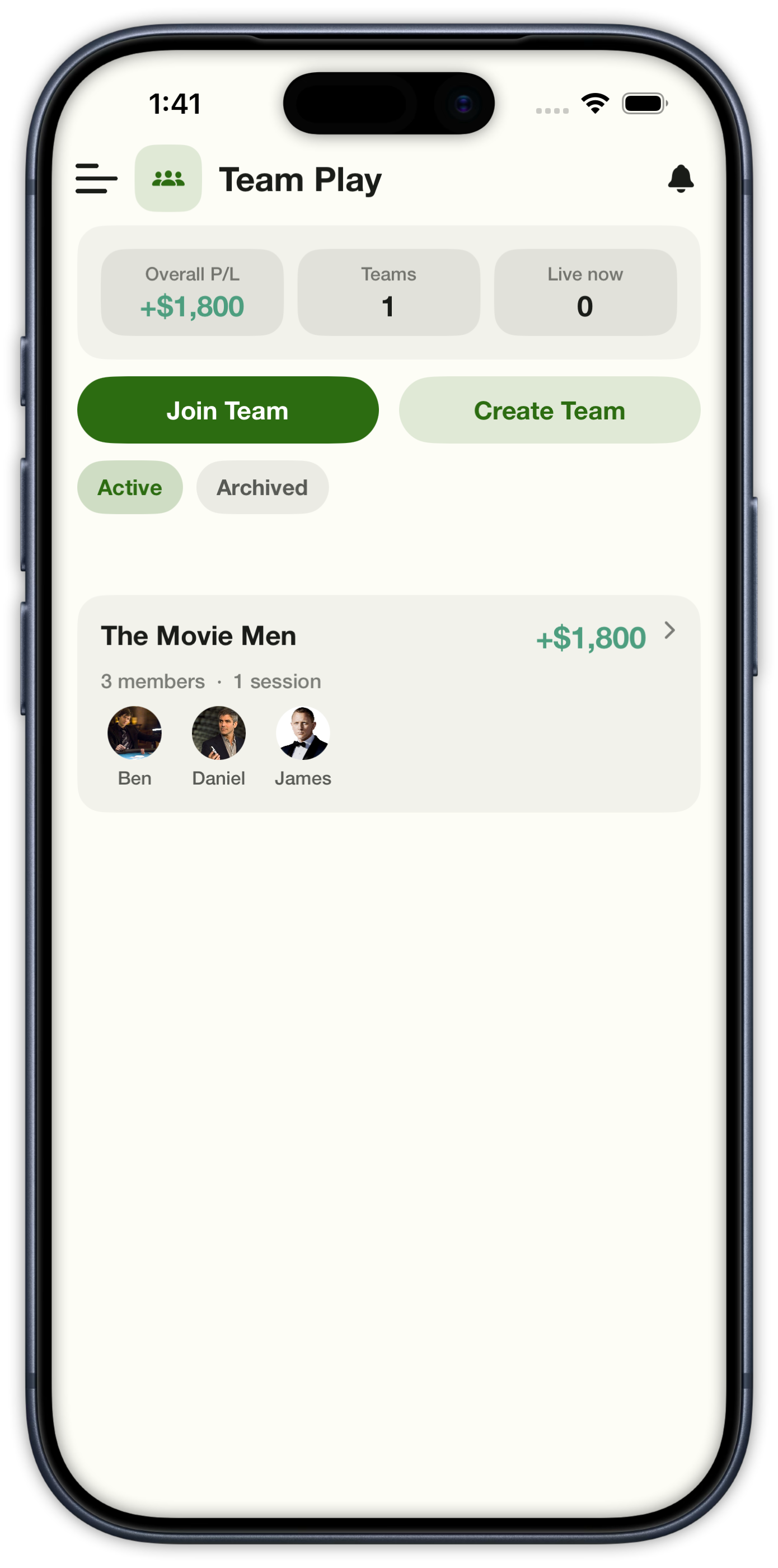
Team Play hub with overall P/L, Join Team, Create Team, and The Movie Men card
Team Play
Create Team with name, description, and a note that you share a join code or QR after the team exists
Create Team
Team Overview with total P/L, session and member counts, plus Play, Sessions, Roster, and Settings
Team Overview
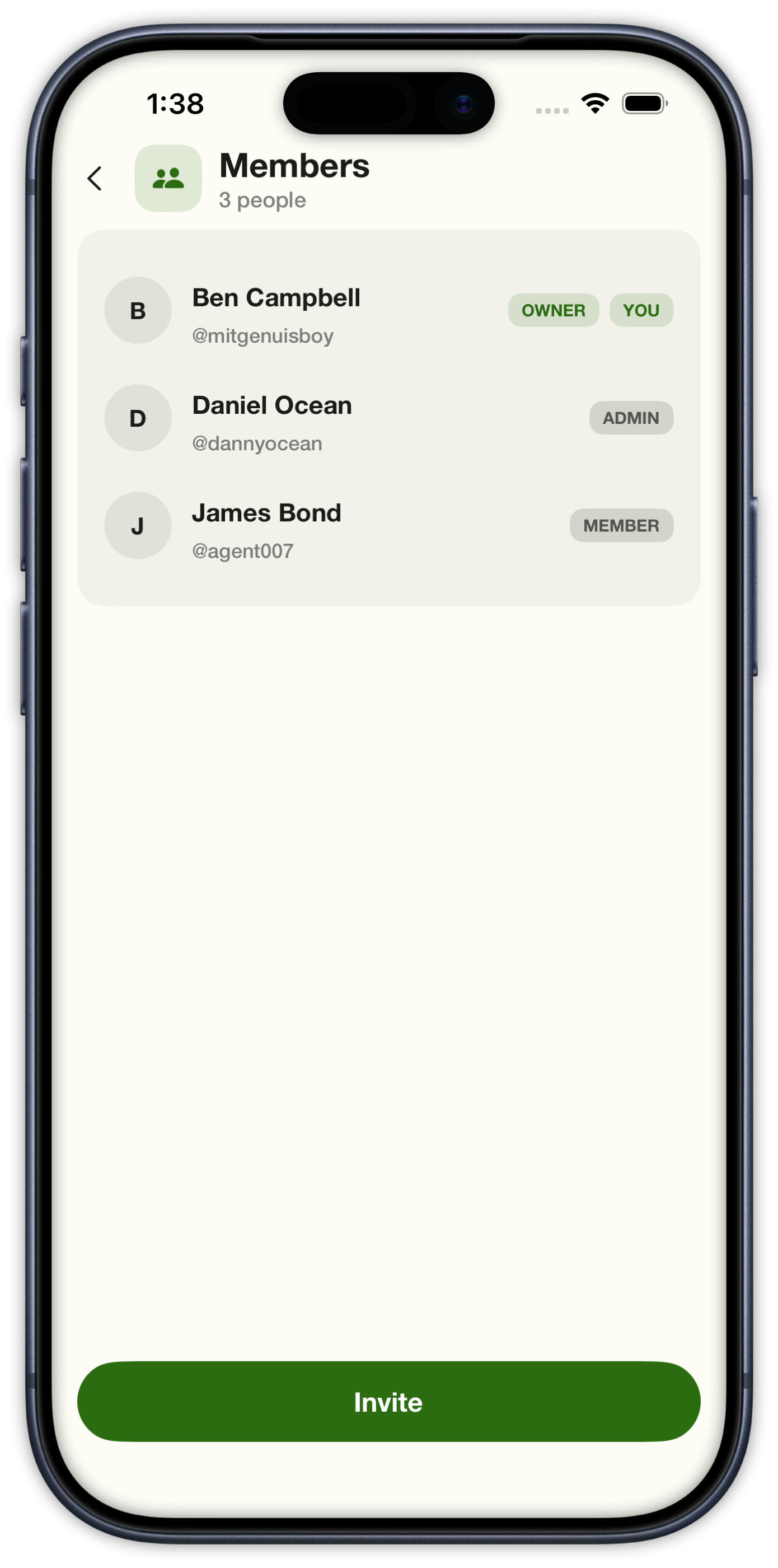
Team roster with owner, admin, and member roles plus an Invite button
Roster
Create a join code with expiration from 15 minutes to never and a use limit
Create a code
A six-character team invite code with a QR, copy, uses left, and a countdown until it expires
Share a code
Active invite codes for a team with uses left, expiration, and create-new-code
Invite codes
Team sessions list with overall P/L and a completed session card
Team sessions
Completed team session overview with +$1,800, duration, hourly, and member P/L
Team session
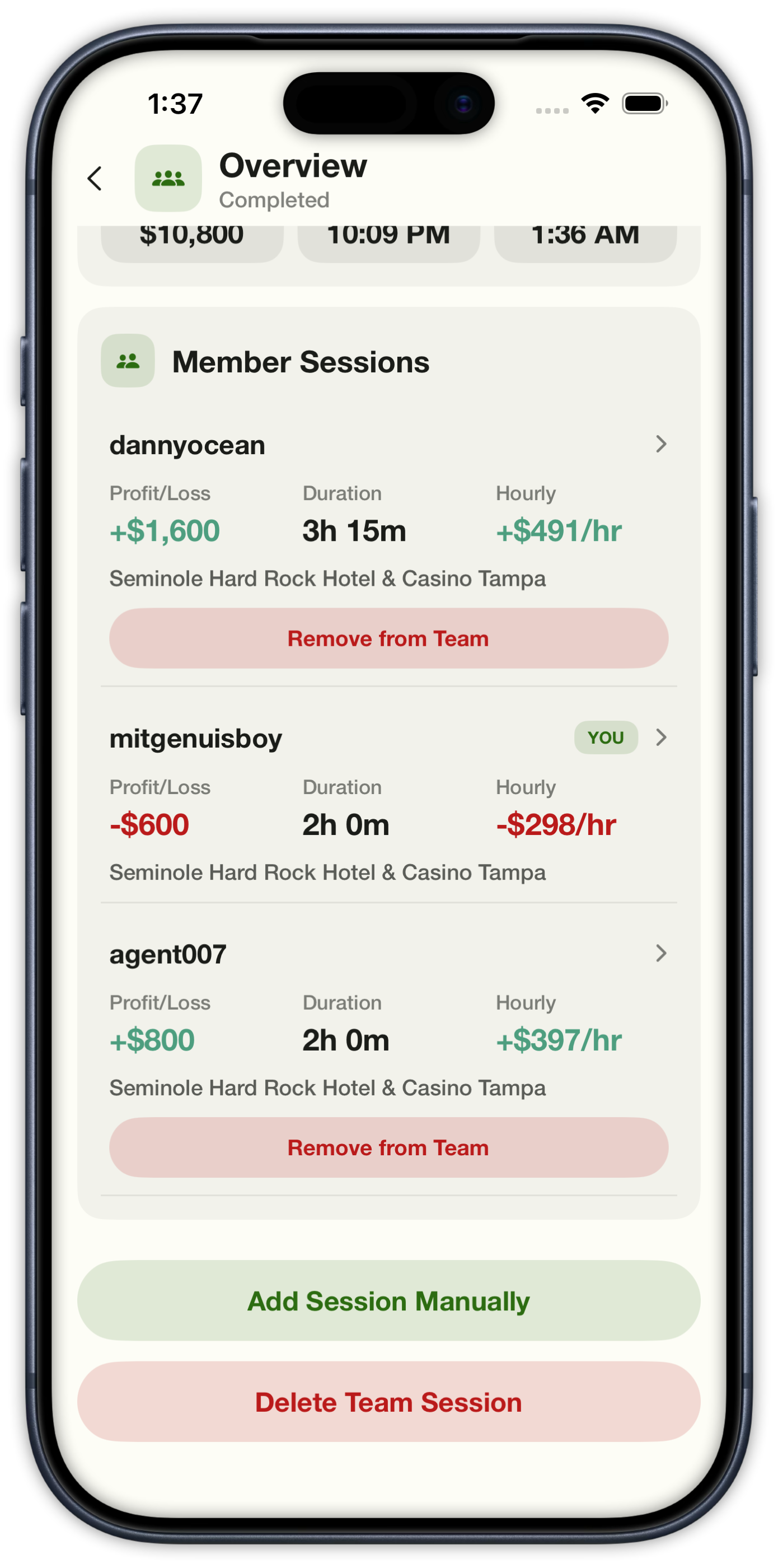
Member sessions on a completed team session with each player’s P/L, duration, and hourly
Member sessions
Team settings for auto-end after inactivity and an Archive Team action
Team settings

Keep your count current.

Download Card Counting Coach on the App Store. Free to start, with Pro for extra systems, analysis, sessions, and teams.

Download on the App Store