
Support
How can we help?
For bugs, billing, and account questions, email contact@cardcountingcoach.com. You can also follow the app on X @cardcountcoach.
Email us
We read every message. Include your iOS version and a screenshot if something looks broken. For bugs and feature requests, Feedback in the app is usually faster.
contact@cardcountingcoach.comIn the app
Send feedback from your phone
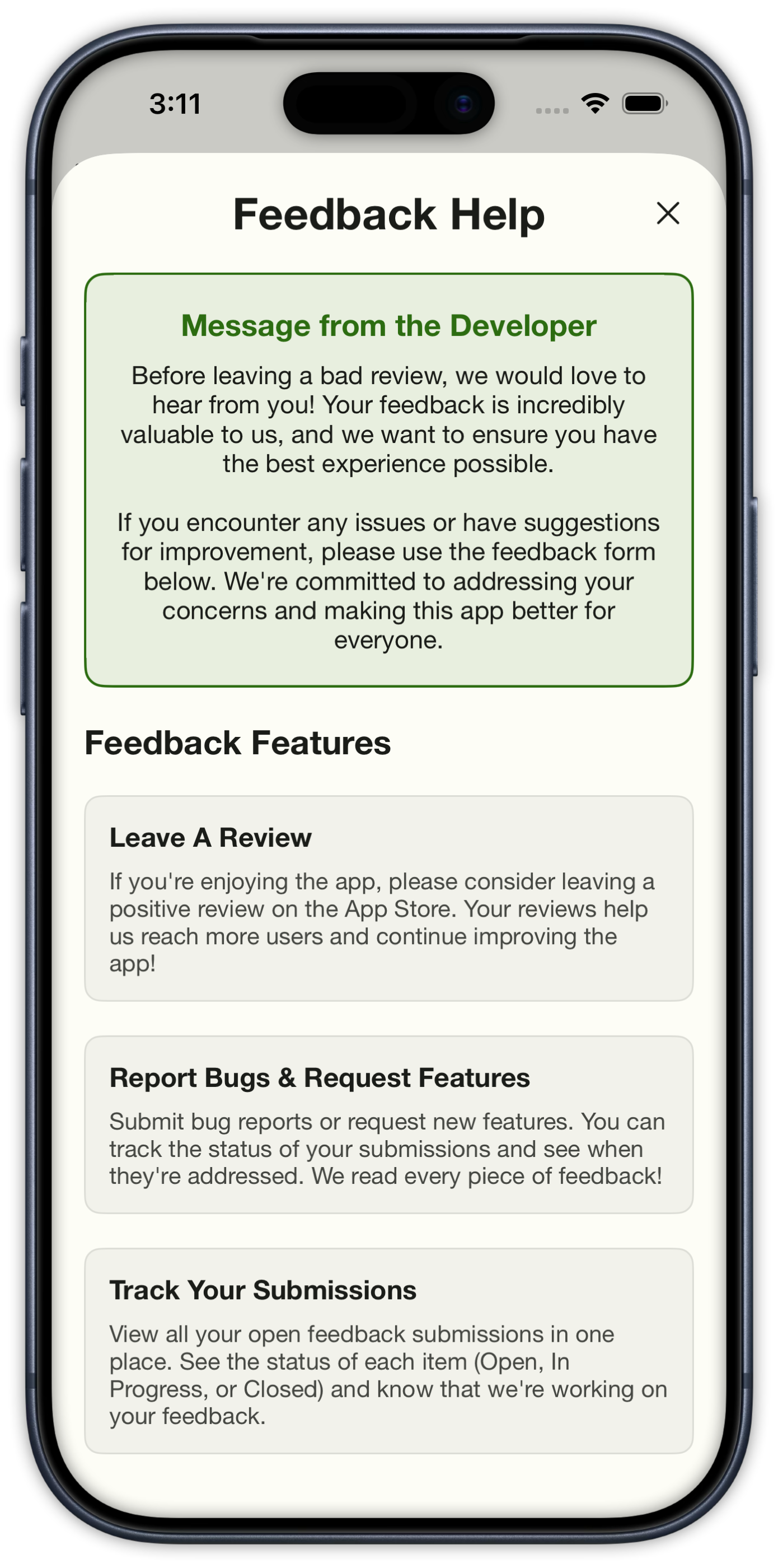
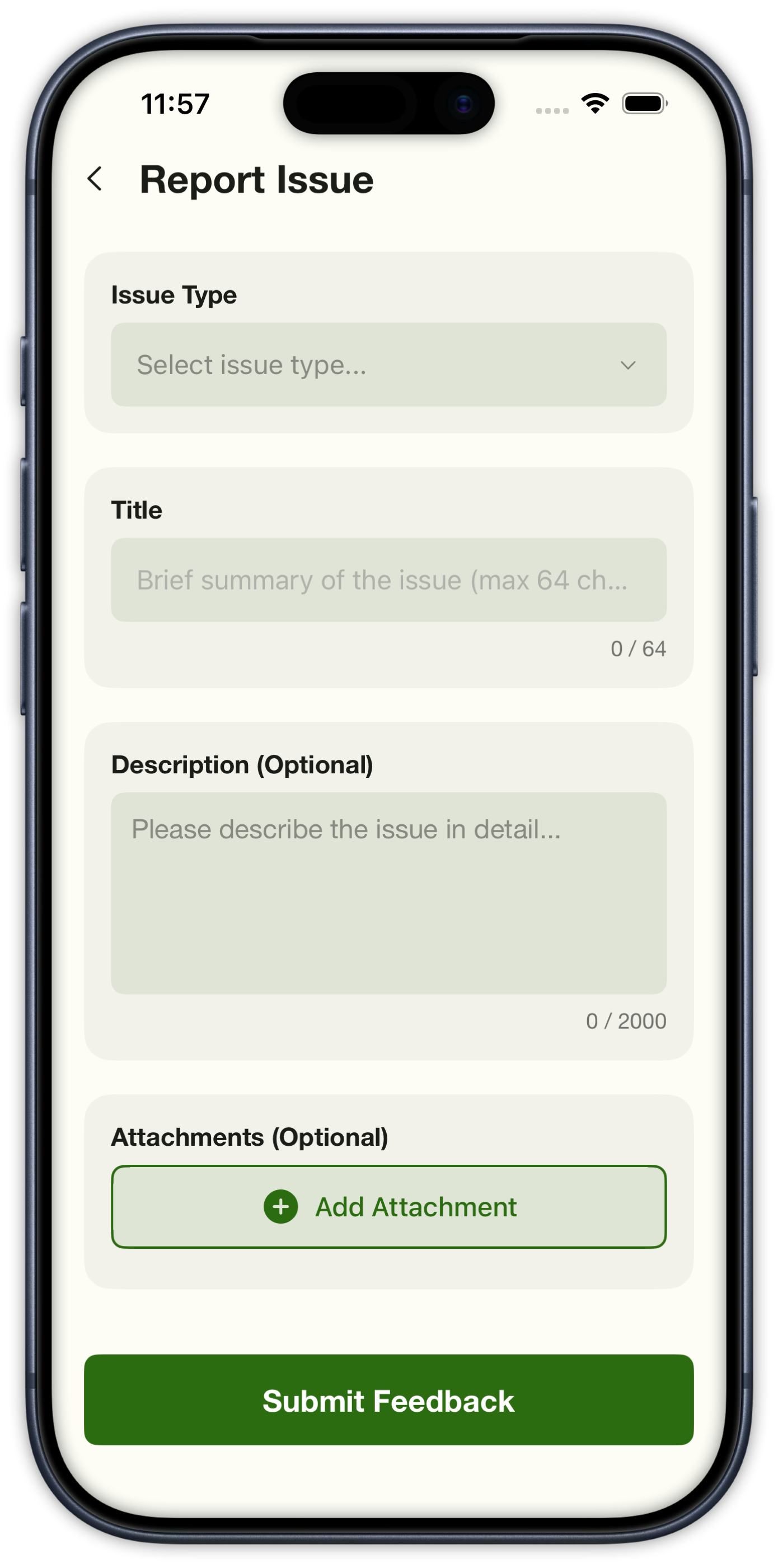
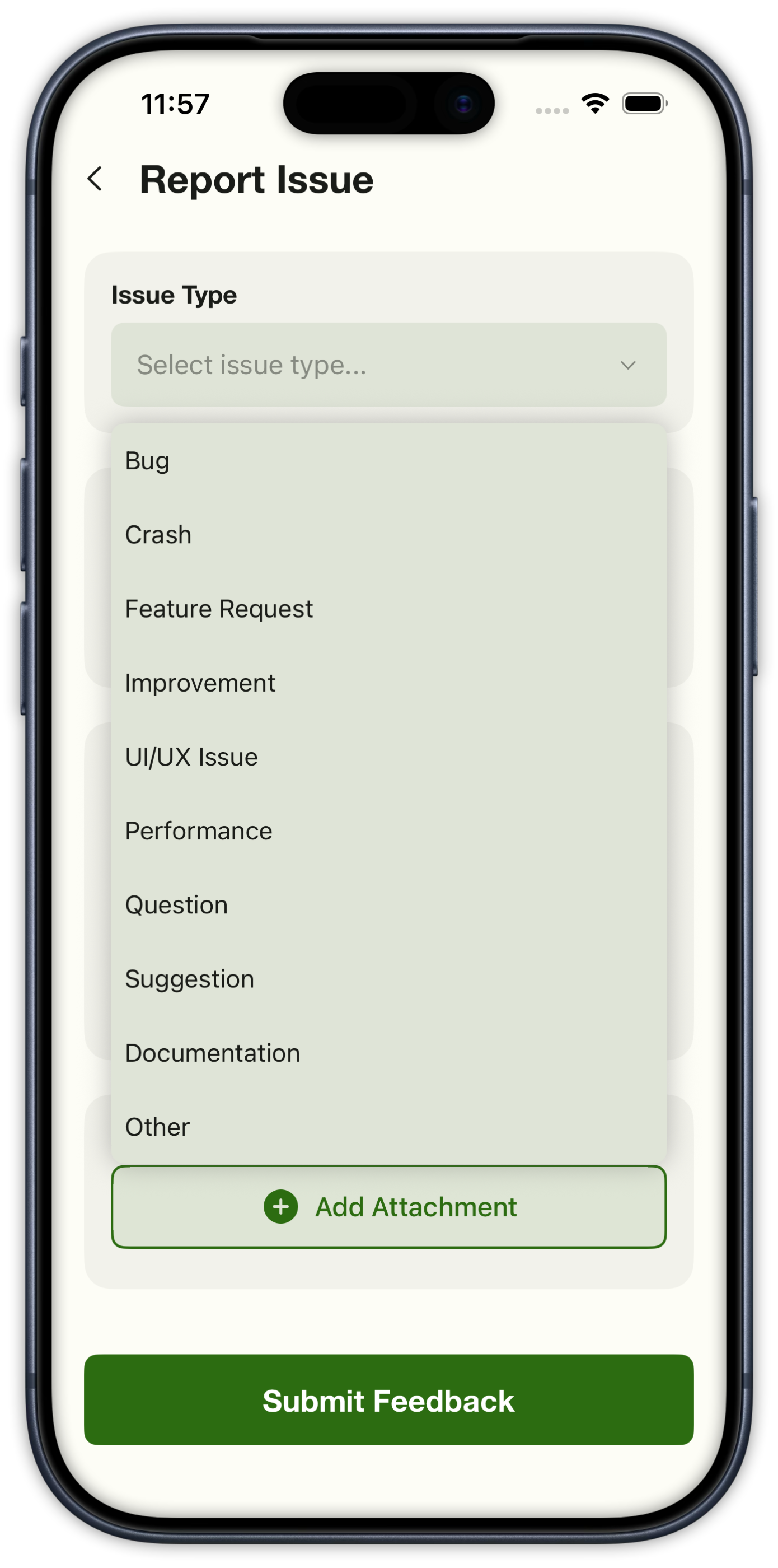
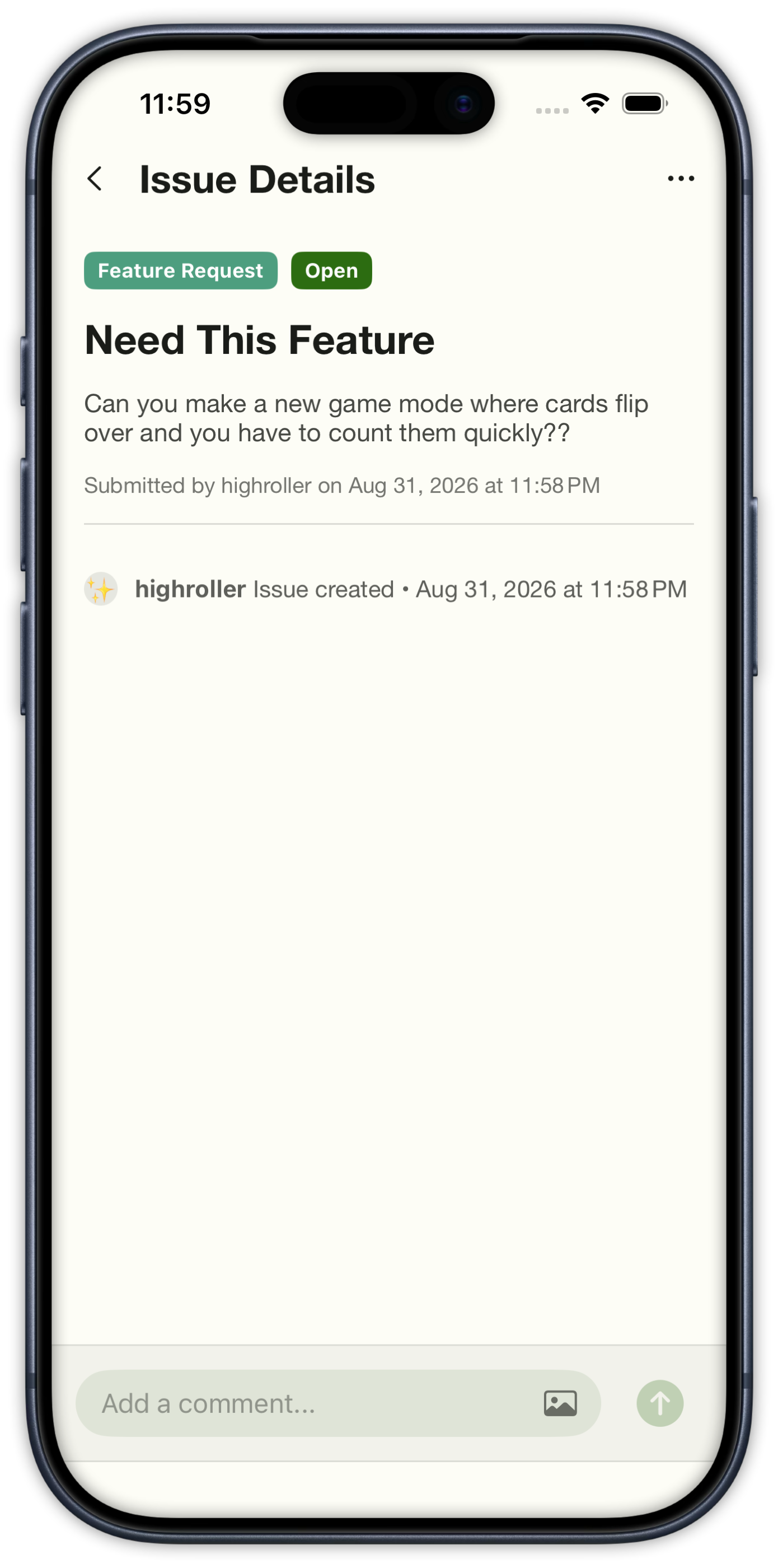
Open the menu and tap Feedback. Pick a type — bug, crash, feature request, and more — add a short title, optional details, and a screenshot if it helps. After you submit, you can reopen the item to see status and leave a comment. We read every report and follow up when something changes.
Privacy and terms
How the app handles accounts, practice data, sessions, teams, ads, and Pro Mode purchases.
FAQ
Common questions
Browse by topic. Tap a question to expand the answer.
Getting started
What is Card Counting Coach?
An iPhone training app for blackjack card counting. Drill running count and true count, learn basic strategy and deviations, then log real sessions and live team bankrolls.
Is this for real casino play?
It is a training app. Use it to practice counting, strategy, and session tracking. Casino play is your own responsibility and may be restricted where you live.
Does it work offline?
Practice modes work on device. Account features such as teams, cloud session history, and purchases need a network connection.
What iOS version do I need?
iOS 16.0 or later on iPhone. Download it from the App Store.
Practice & systems
Which counting systems are included?
Hi-Lo, Hi-Opt I, and Ace-Five ship with the free app. Pro Mode unlocks the rest — KO, Omega II, Zen, Wong Halves, Hi-Opt II, Canfield Master, and more, 18 systems in total.
What practice modes are there?
Running Count, True Count, Beat the Clock, Swipe & Count, Dealt Out, plus a full blackjack simulator that ties counting, strategy, and bankroll together.
Can I practice basic strategy and deviations?
Yes. Strategy drills cover chart decisions, and Pro Mode unlocks deviation indices plus custom strategy cards you can keep in your pocket.
Where do I see my stats?
The Dashboard shows accuracy, streaks, response time, and personal records across practice modes. Open any recent session for card-by-card accuracy, a Beat the Clock pace graph, a strategy heatmap, or a “what to work on” list from Play Blackjack.
Pro Mode
What’s included in Pro Mode?
A one-time $9.99 purchase. It removes ads, unlocks every counting system and level, deviations, custom strategy cards, live and manual session tracking, team play, advanced stats, and extra gameplay settings.
Is Pro a subscription?
No. Pro Mode is a lifetime unlock — pay once, keep it. Restore purchases from Settings if you reinstall or switch iPhones with the same Apple ID.
What’s free without Pro?
Core drills, Play Blackjack, basic strategy practice, running and true count, and 3 systems: Hi-Lo, Hi-Opt I, and Ace-Five.
Sessions & teams
Can I log real casino sessions?
Pro Mode includes live and manual session tracking. Start a live session at the table to log bankroll, table changes, adds, and a walk-out amount — or add a session after. PIN-lock the screen so the numbers stay private — if you logged heat, the lock screen asks you to check in. Filter the list by live, manual, team, or sessions that still need completion.
What can I track during a live session?
A running clock plus starting, current, invested, and hourly on one Overview card. Session Journal logs bankroll updates, table changes, heat, color-ups, and breaks — quick actions or a full entry with a note. Optional blackjack rules stay with the session. When you walk, enter your final bankroll.
What if I get backed off?
Tap Backed Off during a live session. We remember that casino and warn you the next time you start or log a session there.
How do team sessions work?
Create a team, invite with a private code or QR — you pick how long it lasts and how many people can use it. Overview shows team P/L, roster, sessions, and auto-end settings. Each player’s session can link into the same live team session. Heat shows as a badge on that member so the rest of the crew can see it.
Support
Where are the privacy policy and terms?
Read the Privacy Policy at https://cardcountingcoach.com/privacy and the Terms & Conditions at https://cardcountingcoach.com/terms. They cover accounts, practice data, casino sessions, teams, ads, and Pro Mode purchases.
How do I contact you?
Open Feedback in the app menu to report a bug, request a feature, or ask a question. You can also email contact@cardcountingcoach.com or reach the app on X at @cardcountcoach. Include your iOS version and a screenshot if something looks broken.
Can I send feedback from the app?
Yes. Open the menu and tap Feedback. Pick an issue type, add a short title, optional details and attachments, then submit. Reopen your items later to see status and add comments. We read every submission and follow up when something changes.
Where can I see what’s new?
Developer notes live on the Updates page of this site, and in the App Store release notes after each ship.